
What You Can Do With Stash2Go
Stash2Go brings your knitting and crochet to your phone or tablet: your yarn, your patterns, your projects and the row you are on. It works with your Ravelry account, and if Ravelry is new to you, you can sign in with Google or Apple and connect Ravelry later.
The app, at a glance
The app has six areas, and each card opens the guides for one of them.
Patterns
Pattern Search
Search Ravelry’s patterns with more than fifty filters: craft, yarn weight, category, gauge, needle size, fibre, yardage, price and more. You can leave things out, such as colourwork or hats, and a word like “socks” is offered as the category it names. Guide
Discover
Hot Right Now, New to Ravelry and top designers. Patterns in the chart are marked as new or on the climb. Guide
Pattern Pages
A pattern’s Info tab starts with how it is constructed, then the suggested yarn, the best project photos, the newest comments and the PDFs you can open. Guide
Favourites, Queue and Bundles
Heart a pattern, queue it for later, or file it in a bundle. A favourite carries your own note and tags. Favourites Queue Bundles
Your Library
The patterns, books and magazines you own on Ravelry, with their PDFs. When a designer updates a pattern, you can apply the update in the app. Guide
Pinned Searches and Items
Pin a search with all its filters, or a pattern, yarn or project you keep coming back to. Your Ravelry saved searches are listed there too. Guide
For You
A feed of patterns and projects that learns from what you open, heart, queue and add to your library. You can hide a pattern, a designer or a whole category. Guide
Craft Value BETA
A grade for each pattern, based on how often makers go on to knit or crochet it and measured against patterns from its own year. It is off until you switch it on. Guide
Yarn
Your Stash
Your yarn with photos, colourways, fibre, length and weight, kept in step with Ravelry. Each entry shows what is left after the yarn you have set aside for projects. Guide
Stash Matchmaker
Pick a yarn you own and see the patterns that suit it by weight, yardage, fibre and gauge. Guide
Queue Matcher
Shows which patterns in your queue you already have the yarn for. Guide
Yarn Search
Search Ravelry’s yarn database, compare yarns, and see the projects made with them. Guide
Multi-Yarn Matchmaker BETA
Choose several yarns and find patterns that use them together, for colourwork or stripes. Guide
Colour Swatcher BETA
See a pattern’s own photographs in the colours of your yarn before you cast on. Guide
Colour Planning
Build a palette, try the seasonal colour sets, and see how a variegated yarn pools at different stitch counts. Guide
Yarn Shops
A map of yarn shops, with opening hours where they are known, and directions. If a shop is missing, you can add it yourself, and it then shows on the map for everyone. Guide Learn more
Projects
Row Counters
Several counters per project, counters for each part of a garment, and repeats set up the way patterns word them. They keep counting with no signal, and work on Apple Watch and from a home screen widget. Learn more Guide
Needles and Hooks
Your whole collection with size charts and conversions. Import it from Ravelry or add tools by hand, assign them to projects, and note who you lent one to. Guide
Gauge and Calculators
The gauge calculator adjusts cast-on and row counts when your swatch differs from the pattern. There are also unit converters and a yarn substitution calculator. Gauge Calculators
Techniques
How a knitting or crochet technique is worked, step by step, with a drawing of the fabric, its names in your language, patterns that use it, videos and further reading. Open to everyone, no account needed. All techniques
Project Photos
Take or pick photos, edit them, put them in order and choose the main one. They are uploaded to the project on Ravelry. Guide
Crafting Statistics
How many projects you finish, the fibres and yarn weights you use most, and how your stash is made up. Guide
Weaving BETA
A Weaving tab for your project, with the loom, sett, warp plan, draft, finishing and final measurements. Drafts can be opened from and saved as WIF files. Guide
Share as Video BETA
Turn a project’s photos into a short video with music and captions. Guide
Pattern PDFs
Smart Pattern Reader
Read a pattern with its row counter beside it and a guide on the row you are working. Row Tracker mode is free, and the Smart Tracking and Full Knitting modes are part of Premium. Guide
Auto-Setup BETA
The app reads a pattern PDF and builds the tracking for it, with the designer’s charts and a stitch count for each row where the pattern gives enough to work it out. It lists what it could set up and what is left to you. Guide
Charts and Glossary BETA
PDF Tools finds the charts in a pattern and links a chart to a counter, and highlights abbreviations on the page with their meaning. Guide
Community
Forums
Read and write in Ravelry’s forums and in the forums of your groups. Knit-along topics are tagged, the finished-object photos in a topic open as a gallery, and you can bookmark a single post. Guide
Messages
Your Ravelry inbox, with the same editor the forums use. Guide
Friends and Designers
Follow friends and designers, see what they are making, and browse a designer’s patterns. Guide
Notifications
Hear about a new Ravelry message or a forum reply, with the name of the topic it came from. Guide
The Magazine BETA
A weekly read about designs, techniques and yarn, with links to the designer blogs it draws on. It is off until you switch it on. Guide
How It Looks
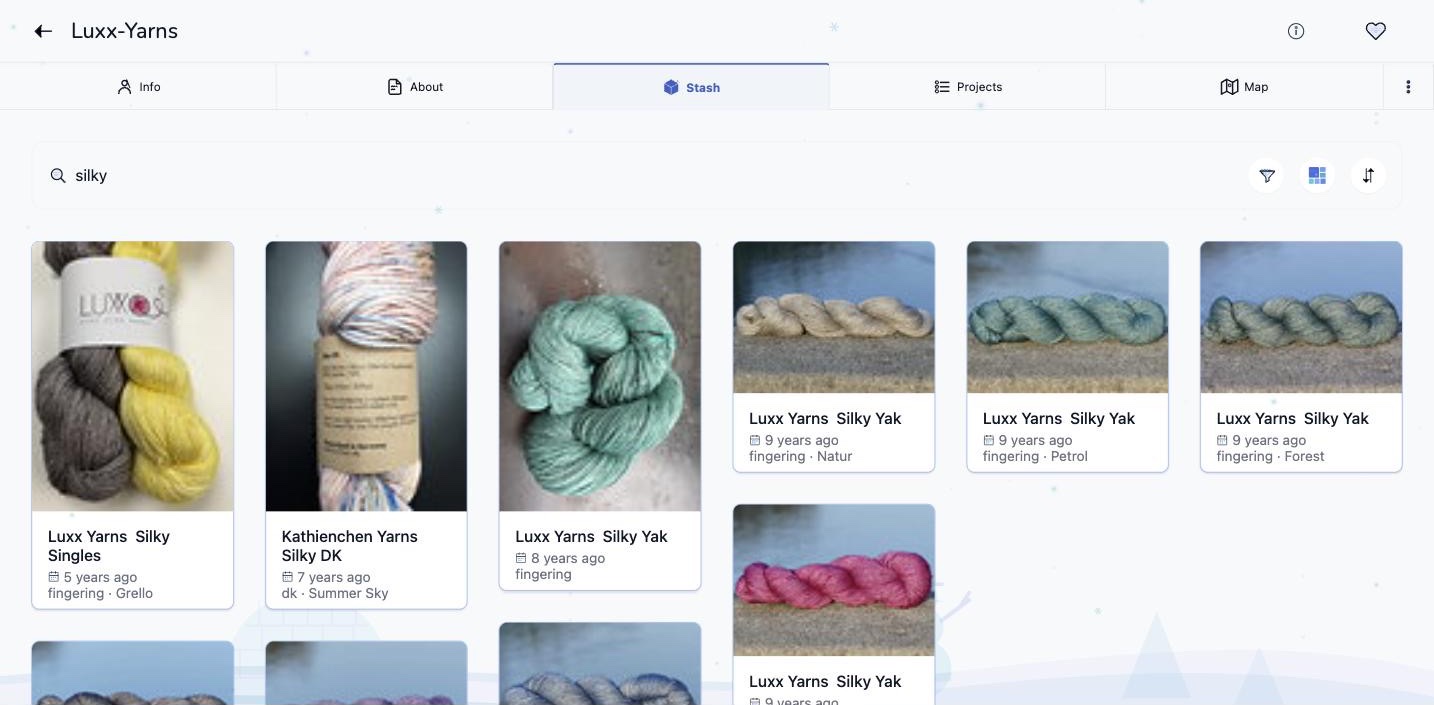
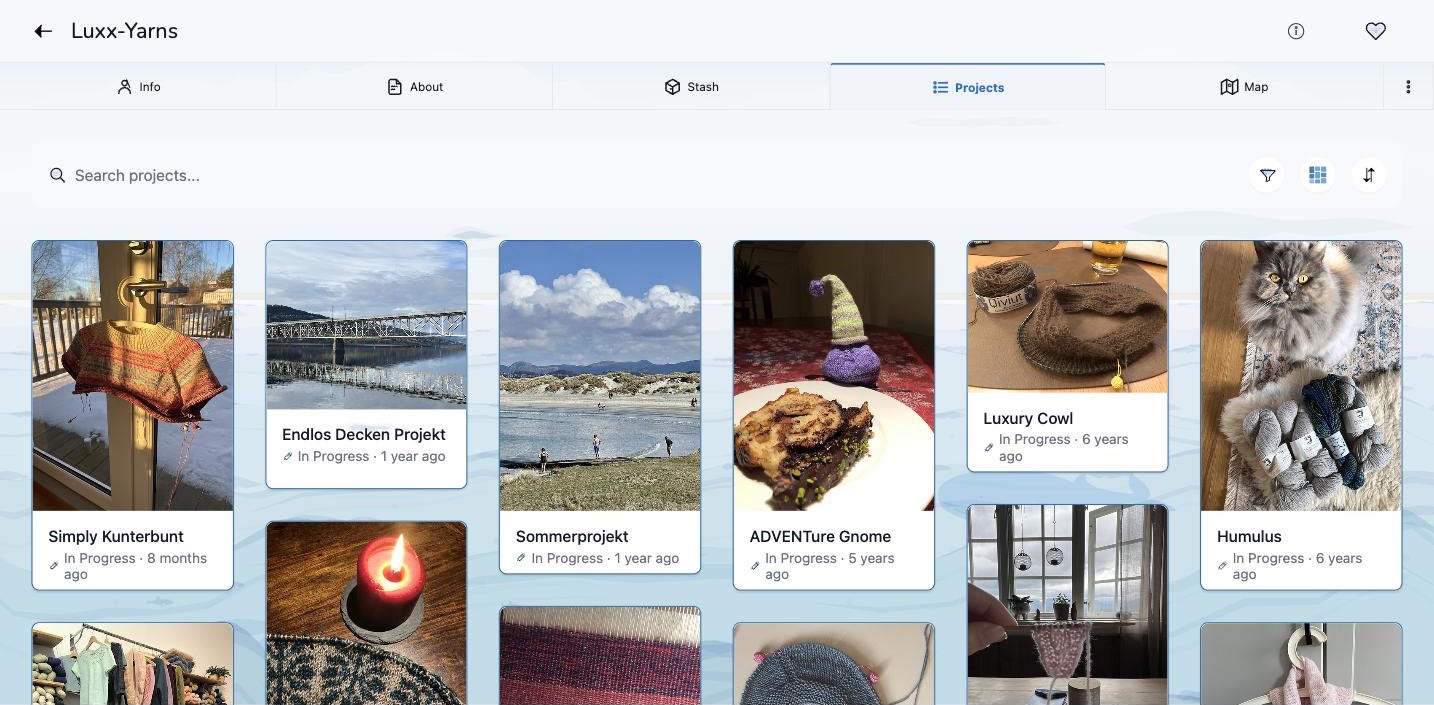
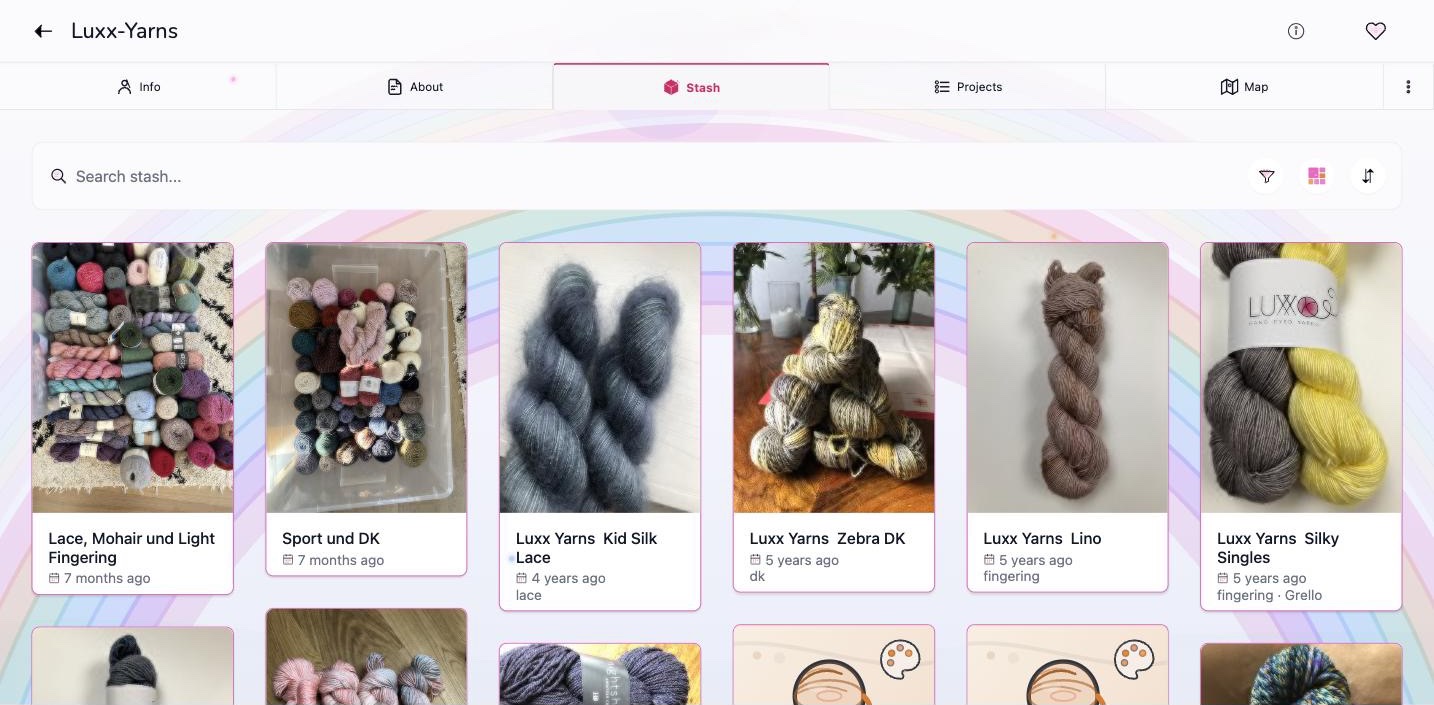
Forty colour themes, and a scene drawn behind the page if you want one. You switch it on in Settings, on the colour theme screen. The yarn and the projects in these pictures are from Luxx Yarns, the hand-dyed yarn label in the developer’s own family.
The App Itself
Three Layouts
Basic shows the essentials, Advanced shows everything, and Classic gives each area one page. You can switch at any time and nothing is lost. Guide
Home Screen
Choose your tiles and their order. Some tiles tell you about your own making, such as the months you cast on in, or whether your stash covers your queue. Guide
40 Colour Themes
Forty themes in light and dark, themes you make yourself, and a gallery of themes other makers have shared. Guide
Accessibility
Enhanced Contrast raises contrast in every theme, and buttons that are only an icon are labelled for screen readers. Guide
26 Languages
The app is translated into 26 languages, with knitting and crochet terms checked by hand. Guide
Offline
Choose what to keep on the device: projects, row counters, stash, queue, patterns, PDFs and photos. Available on iPhone, iPad and Android. Guide
Start Without Ravelry
Sign in with Google or Apple and keep projects, stash and needles in Stash2Go. When you connect Ravelry later, they move across. Guide Moving to Ravelry
Assisted Features
Features that use AI, such as plain-language search, yarn label scanning and pattern translation, stay off until you switch each one on. One switch turns them all off, and every feature states what it sends. Guide Where AI is used
Bobbin
A craft assistant you can type or talk to. It reads what is on your screen and can take you to the right place in the app. Bobbin comes with Premium. Guide
Your Data
Take your projects, stash and row counter history out of the app as a spreadsheet, whenever you like. Guide
Help and Feedback
Fifty-eight screens have an “i” that explains the screen and links its guide. Feedback sent from the app is read by the developer himself. Guide
Added Lately
A Designer’s Page Like A Magazine Feature v1.37
Her portrait, her own words, how loved she is among all designers, her signature design and most loved patterns with a maker’s word on each, which of her patterns are climbing right now, and her places on the web. All of it real Ravelry information. Guide
Free Versions Beside The Price v1.37
When a pattern is free somewhere else but costs money on Ravelry, both are shown side by side with a link to the free version, and a designer’s current sale sits right next to the price. Guide
Techniques v1.37
Look up how a technique is worked, step by step, what it is called in your language, patterns that use it and videos. The written rows and the chart come from one source, and all 28 techniques were checked row by row. Open
Calculators On One Page v1.37
Gauge, adapting a pattern, yarn amounts, units and pooling share one Calculators page, each on its own tab. Guide
Hot Right Now as a Chart (Beta) v1.36
Follow the Hot Right Now list like a music chart: how the leading patterns move over a day, a week or a month, which suit your stash and your queue, and which have stayed in the top 100 all along. Guide
Your Pattern Control Centre (Beta) v1.36
A project’s PDF tab becomes the place where you knit the pattern: check yarn, needles, gauge and size first, then move through it piece by piece and mark each step as done. Guide
A Page for Everything in Beta v1.36
Every beta switch is on one page in Settings, grouped by what it is for, with a line on what beta means and a button to send feedback. Your feedback decides which betas become regular features. Guide
A Finish-By Date for Projects v1.35
Give a project the date it has to be done by, for a birthday or a test knit. The project shows how many days are left and marks the date on its timeline. Guide
Story View on Every List v1.35
Any list can be shown as large cards with their photographs: your stash, bundles, friends, favourites, top designers and search results. All release notes
Where it runs
Counters, projects and settings follow you across all of them. A television can show your patterns and projects as a slideshow, or follow what you open on your phone. Pairing On a screen Apple TV
For Designers
A pattern is shown with its designer’s name and photographs, and it is bought wherever its designer sells it. Stash2Go sells no patterns, and it does not write patterns and never will. A PDF someone has bought is kept in that maker’s own account and shown to nobody else.
The features that work on a pattern are each off until a maker switches them on, and each says what it sends:
- Translation sends only the passage that was asked about to an AI service.
- Auto-Setup sends a pattern’s written instructions and a picture of its charts to an AI service, to build the counters.
- Bobbin, the craft assistant, sends the page that is open to an AI service when it is asked about it.
- Colour Swatcher repaints the designer’s photographs in the maker’s yarn colours on Stash2Go’s own machines, and shows the result to that maker.
- Craft Value is a grade worked out from public Ravelry numbers.
Nothing that is sent is used to train a model. Where AI is used