54I want to show this on a screen
A slideshow on your own device, cast to the television, or a TV that follows you
- Nothing to switch on. Presentation is always in an item's … menu.
- If you like, Presentation buttons in the header (Settings → Appearance → Behavior) puts play and skip in the navigation bar instead.
- To show something on a television you need one paired. See Pair Your Devices.
- Works on iPhone, iPad, Android and the web.
Open a pattern, a project, a stash entry or a list, and choose Play from its actions. The item fills the screen. Its photographs drift slowly across, and it moves on by itself. Start from a list and it plays the whole list.
Settings → Appearance → Slide Timing has two dials. Time per item is how long one pattern holds the screen. Time per photo is how long each of its photographs is shown. So an item with many photos shows more of them, and an item with one photo just holds it. The screen tells you how the two work together: up to N photos per item, N seconds each; fewer photos are each held longer.
- Why it will not go faster
- Photographs fade into each other. Below about five seconds the next picture starts fading in before the last has finished, so nothing is ever cleanly on screen. That is why very short times are not offered.
- Knit night pacing
- Set it slower than feels right. People look up, talk, then look back. A pattern that holds for half a minute is a pattern somebody actually saw.
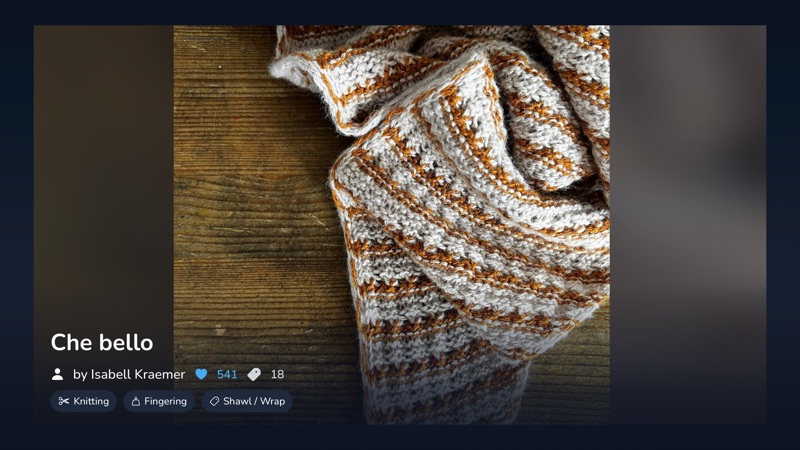
With a television paired, Play asks where first: This Device, or the television by name. Choose the television and it plays there, with the controls on your phone, so you can skip ahead or pause without getting up.
What goes with it is your setup: your timings, how many photos each item gets, whether notes are shown, and your theme. A television with its own settings keeps them for its own slideshows.
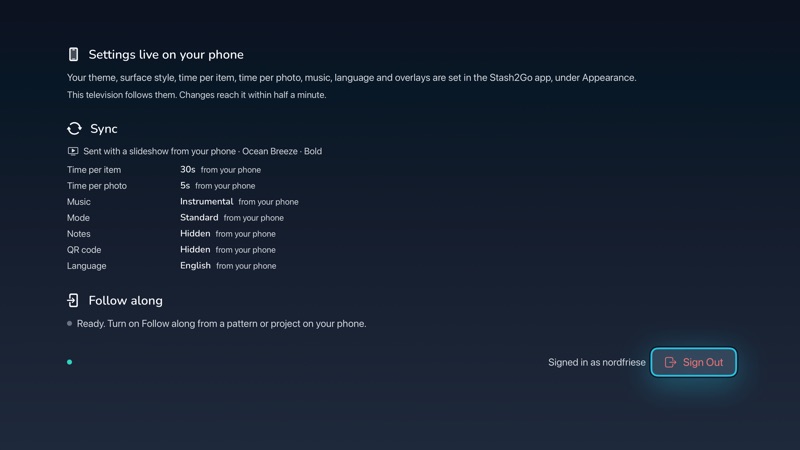
The same chooser offers Follow along. Turn it on and whatever you open on your phone appears on the television. You keep browsing in your hands while the room watches the big screen. For a group this is the better choice, because nobody waits for a slideshow to reach the pattern they asked about.
Stop following ends it, and the television goes back to its own screen.
Available on iPhone, iPad, Android, and web at app.stash2go.com