3I know what I'm looking for
Search with filters for craft, yarn weight, category and more
- Nothing to switch on. You can search whether or not you are signed in. Favoriting and queueing need a Ravelry account.
- Works on iPhone, iPad, Android and the web.
The full walkthrough – suggested searches, saving one, filters, sort and layout.
A shorter look – filters, sorting, and finding a pattern.
A walk through pattern search: using the filters, sorting the results, and finding the pattern you want.
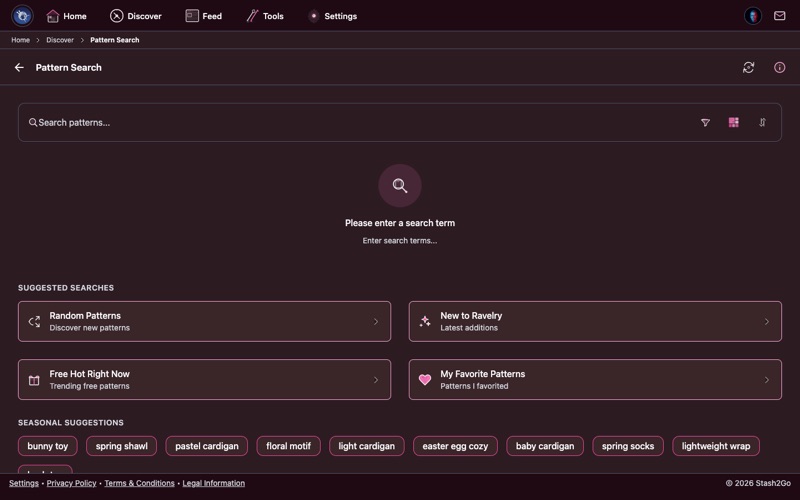
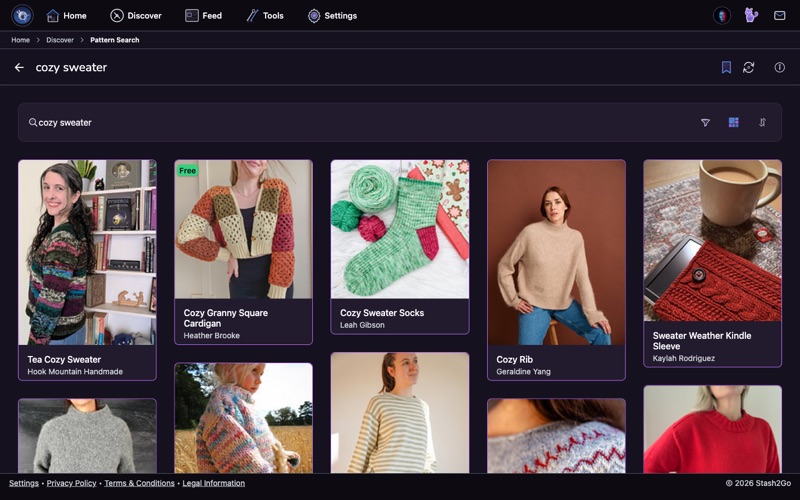
Go to Discover → Pattern Search. There is a search bar at the top and a filter button. Type a word to search by name, or go straight to the filters and browse by category.
Craft: Knitting + Weight: Worsted + Category: Sweater and you get every pattern that matches, sorted by popularity.
Pattern Search is not blank when it opens. Previous Searches lists the ones you ran before, and tapping one runs it again. Under that, Suggested Searches gives you somewhere to start when you have no particular pattern in mind: what is trending, what is newly published, and the collections Ravelry's editors have picked.
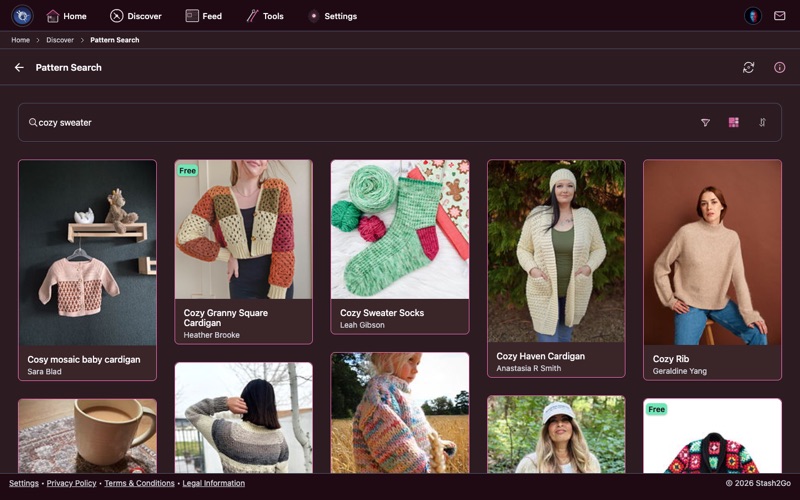
Type a word: a designer's name, a garment, a technique. Then press search. Every pattern on Ravelry that matches comes back, and you can search again inside those results to narrow them down.
Tap any result and the whole pattern page opens: the photographs, the yarn the designer used, the gauge and needles, what other makers said, and what they made. That is the point of the search. See Read a Pattern Page for what is on it.
Pin a search with the bookmark on the search bar. It is kept with your other pinned searches, so a set of filters you spent time getting right never has to be built again.
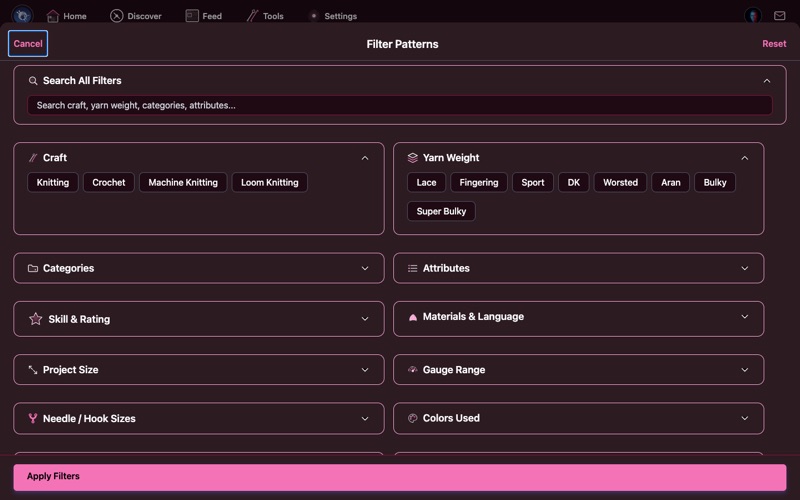
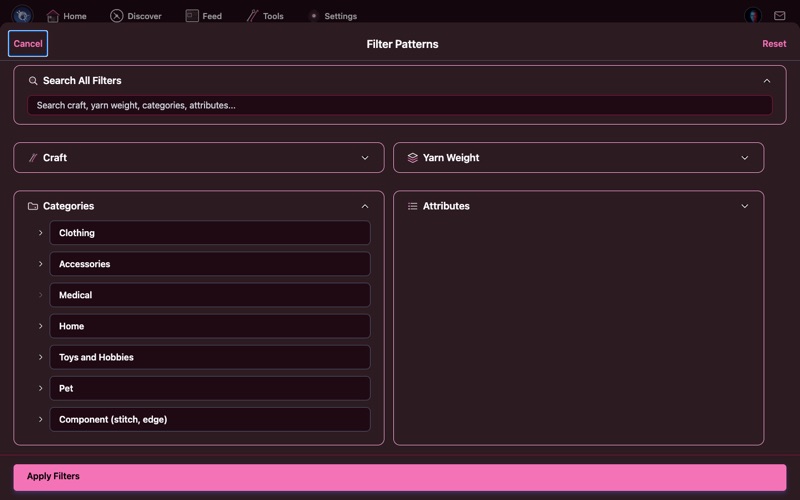
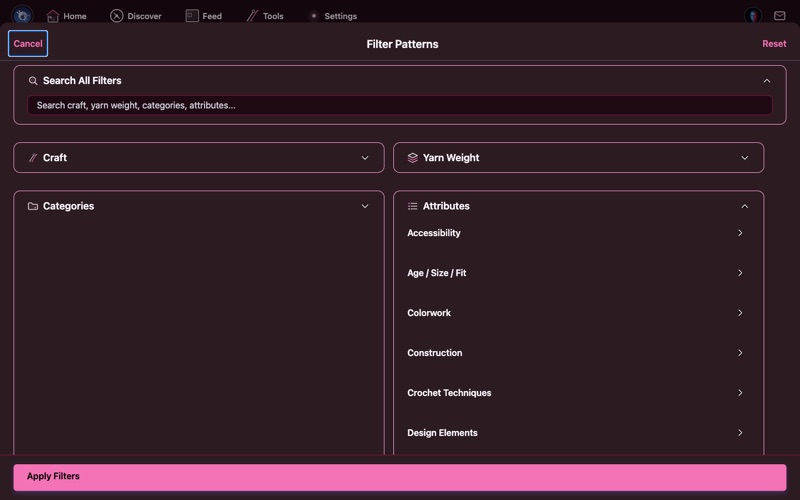
Tap the filter icon to open the full filter panel. This is everything you can filter by:
- Craft - Knitting, Crochet, Machine Knitting, Loom Knitting, Weaving
- Yarn Weight - Lace, Fingering, Sport, DK, Worsted, Aran, Bulky, Super Bulky
- Categories - Sweater, Hat, Shawl, Socks, Blanket, Toy and many more, laid out as a tree
- Attributes - Worked flat, in the round, seamless, top-down, bottom-up, colorwork and more
- Skill & Rating - How hard it is, and how makers rated it
- Materials & Language - Fiber type (wool, cotton, alpaca and so on) and the language the pattern is written in
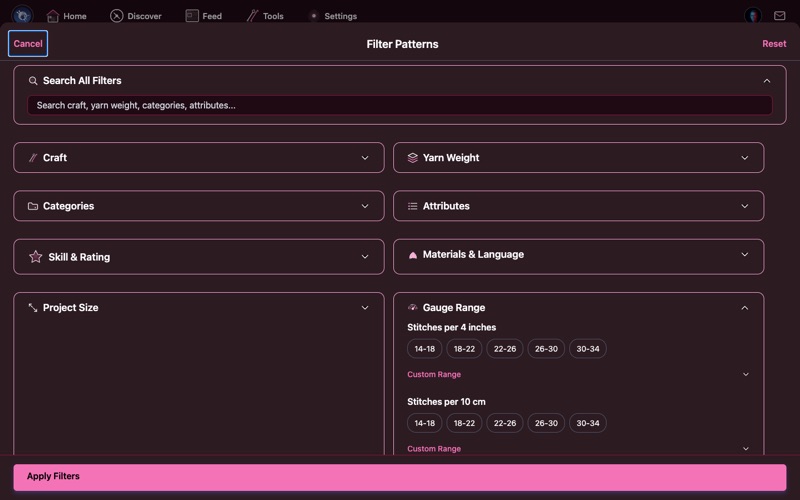
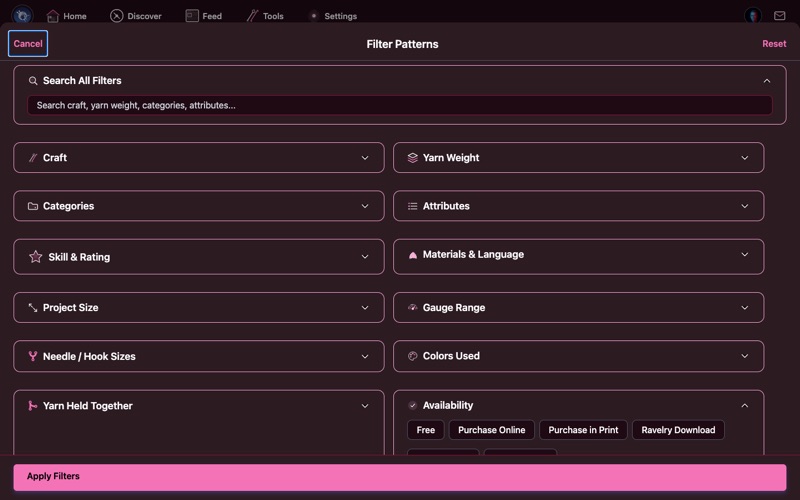
- Project Size - How much yarn it takes, in yards or metres
- Gauge - Stitches per 4 inches (or 10 cm), with ready-made ranges
- Needle/Hook Size - One particular needle or hook size, in mm
- Colors Used - a range: pick 1 to 5 or 6+, or type your own lowest and highest
- Yarn Held Together - single strand, 2 yarns, 2 yarns of the same weight, 3 yarns
- Availability - Free, Purchase Online, Purchase in Print, Ravelry Download, In My Library, Discontinued
- Notebook - Only the patterns you have favorited
Tap Apply Filters and the results narrow to the patterns that match everything you set.
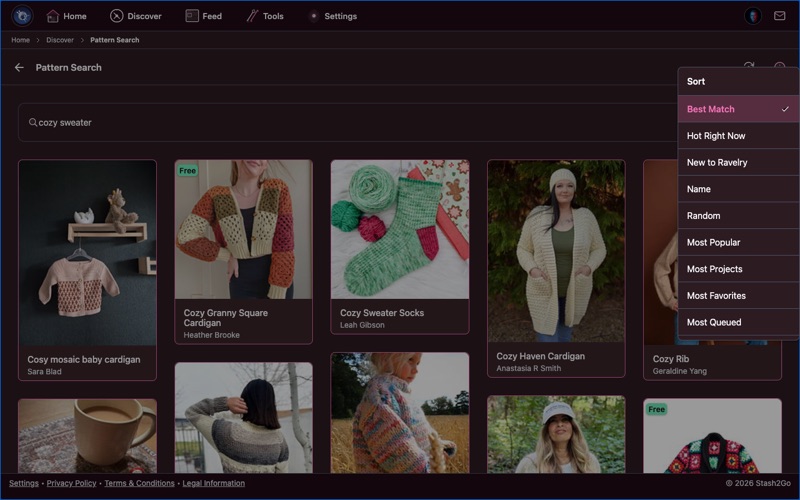
Sort decides which patterns come first:
- Best Match - Ravelry's own ranking. This is what you get when you search by keyword
- Most Popular - What most makers like
- Hot Right Now / New to Ravelry - What is trending, or what has just been published
- Most Projects, Most Favorites, Most Queued, Rating - What makers have made, saved, queued and rated
- Publication Date, Name, Difficulty, Yarn, Random - More ways through the catalog
Want patterns ranked by their Craft Value grade instead? That is the Top Craft Value list in Discover, which is a beta. See See a Pattern's Craft Value.
The view toggle offers six ways to show the results: list, masonry, large masonry, an Instagram-style grid, simple, and square thumbnails. Masonry is good for browsing by photograph. List shows more detail at a glance.
Pins on the Discover tab keeps every search you saved. Open one to run it again. To take it off the list, tap the bookmark on its card. One tap and it is gone again.
Here are a few real ones to get you started:
Craft: Knitting Weight: Worsted Category: Hat Availability: FreeCraft: Knitting Category: Sweater Difficulty: Easy Attribute: Top-DownCraft: Knitting Weight: Bulky Category: BlanketCraft: Knitting Weight: Fingering Category: Shawl Attribute: LaceCraft: Crochet Weight: DK Category: Blanket → Baby Blanket Availability: FreeCraft: Knitting Category: Mittens Colors: 3+ Attribute: StrandedCategory: Sweater.
Availability: Free filter. Ravelry has hundreds of thousands of free patterns.
Top-Down, Seamless, Worked Flat and In the Round find patterns made the way you like to work.
Available on iPhone, iPad, Android, and web at app.stash2go.com