46Is this pattern worth making?
Craft Value grades a pattern on what makers have really done with it. A beta, turned on in Settings
- Craft Value is a beta and starts off. Turn on Top Patterns by Craft Value in Settings → Appearance → Beta Features.
- The Beta Features section is not shown in Basic mode.
- A Ravelry account, because the grade is built from what makers there have actually made.
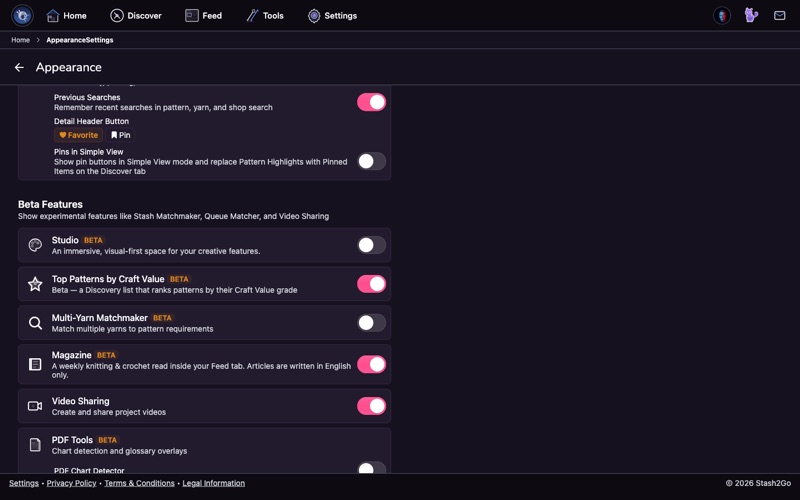
Craft Value is a beta and it starts off. Nothing in this guide shows up until you turn it on. Open Settings → Appearance, scroll to the beta section, and turn on Top Patterns by Craft Value. That one switch brings in all of it: the grade card on pattern pages, the ranked lists in Discover, and designer profiles.
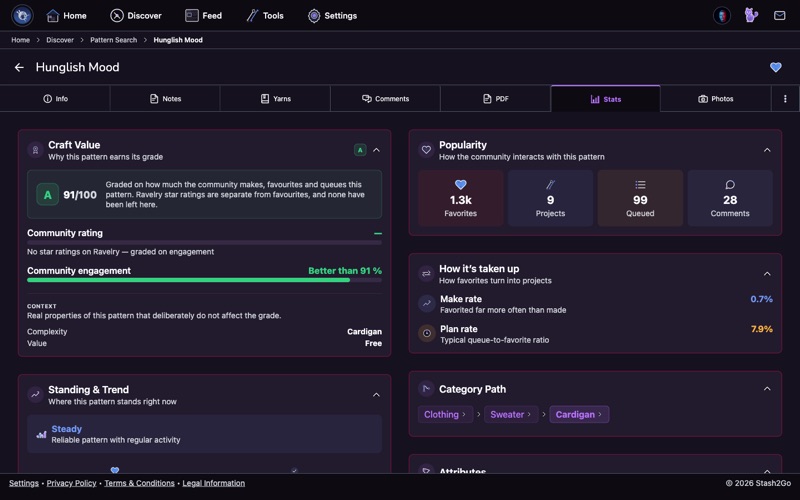
Open any pattern and go to the Stats tab. The Craft Value card shows the grade, and then the more useful part: why it earned it. That is how other makers rated the pattern, together with how much they make, favourite, and queue it. A percentile line tells you how the pattern compares with the rest of the index.
Two honest exceptions. If a pattern has no Ravelry star ratings, it is graded on what makers did with it alone, and the card says so. And if nobody has rated, made, favourited or queued it yet, there is no grade at all. Craft Value never invents a verdict it has no evidence for.
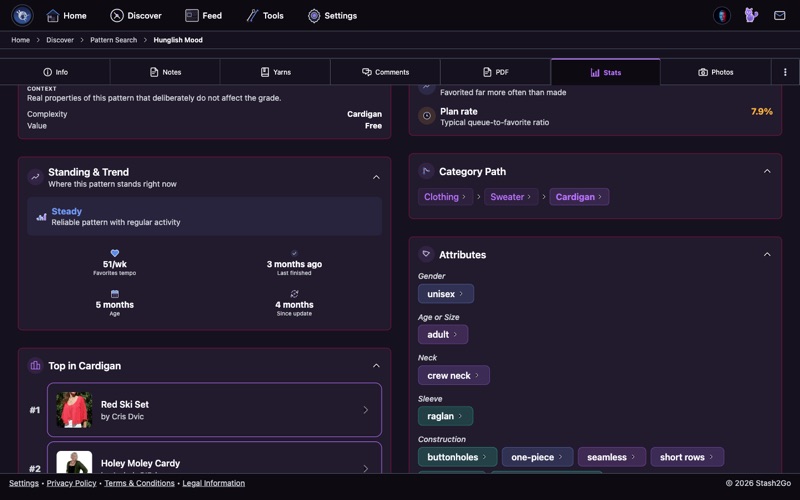
Beside the grade sit the context chips. They are plain facts about the pattern: its complexity, whether it is free or paid, and its community proof, which is how many makers have actually made it. None of them move the grade up or down. They are there so you can read the grade in context. A B on a beginner dishcloth and a B on an intricate colourwork sweater mean quite different things for your next cast-on.
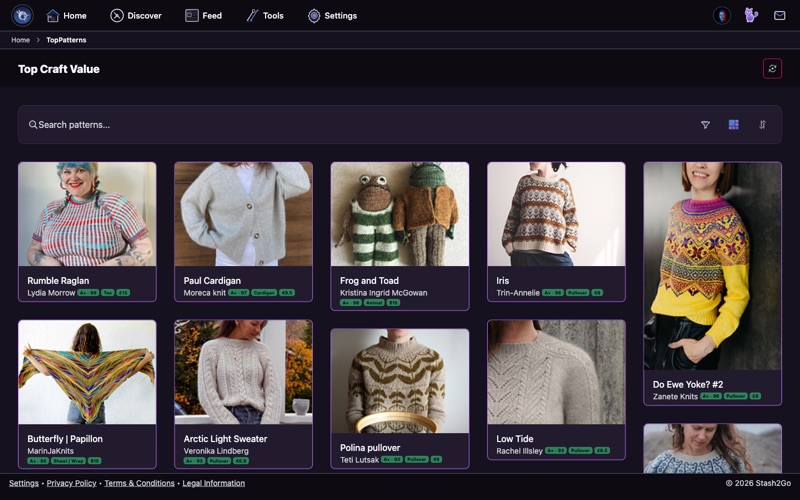
Once the beta is on, the Discover tab gets a Top Craft Value list. It ranks patterns worldwide by their grade. That is not the same as "most popular right now". A quiet, excellent pattern with strong evidence behind it comes out above one that is merely being talked about.
The list has its own sort: Craft Value, Most Popular, Most Projects, Most Queued, Rating, Publication Date and Name. It takes the same detailed filters as pattern search, so you can ask for the best-graded free sweater patterns at your gauge. Sorting by Craft Value only happens here, on this list. Ordinary pattern search keeps its own sorts.
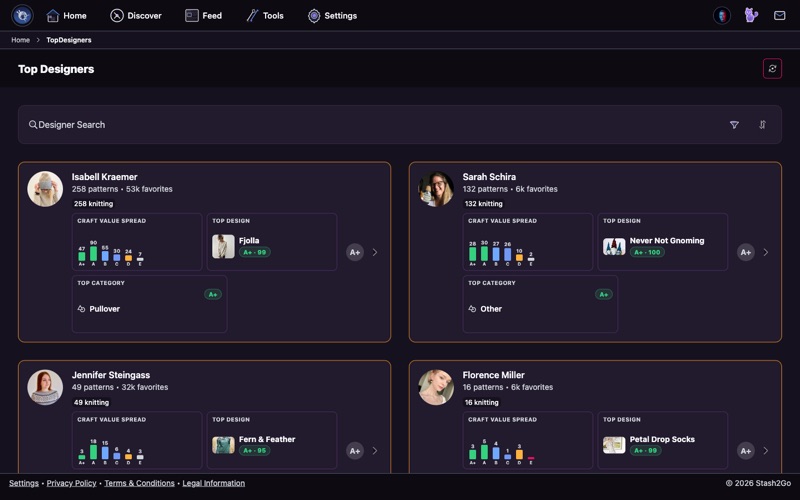
Craft Value covers designers too. The Top Designers list in Discover ranks them by the Craft Value of all their patterns together, and you can filter by grade, trend, archetype and category. On a designer's own page, the Craft Value profile card shows the spread of their grades, a Craft Value over time timeline, and an archetype worked out from the evidence. If a designer is not in the index yet, you can evaluate their patterns from their page to add them.
Available on iPhone, iPad, Android, and web at app.stash2go.com