50I keep repeating the same searches
Pin a search or a thing once, and find it again in one tap
- Nothing to switch on. Pinning is on the search screens in every layout.
- In Basic mode, Pinned Content takes the Pattern Highlights place on the Discover tab.
- A Ravelry account, because pins are stored with it and follow you between devices.
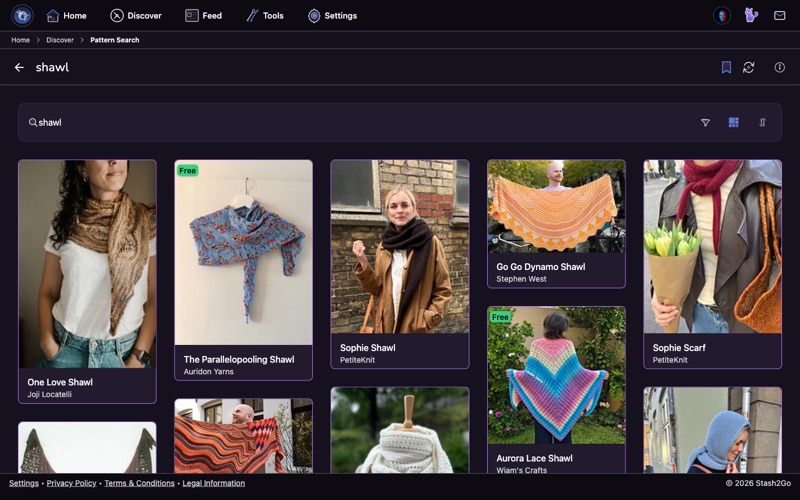
Put together a filter you like: fingering weight, top down, free, sorted by rating. Pin the search from the search screen and the whole thing is saved, including what you typed, the filters, and the sort. Pinning works on the app's search screens for patterns, pattern sources, designers, and people.
After you pin something, tap View in the short message that appears. That opens Pinned Content, which has three tabs. Pinned Searches holds your saved filter setups. Pinned Items holds the single things you pinned. Ravelry Searches holds the searches saved in your Ravelry account. In Simple Mode with pin management turned on, Pinned Content also gets its own entry on the Discover tab.
Tap any pinned search and it runs again with every filter back in place. Fresh results, and no tapping it all in again. Because it runs live each time, a pinned search doubles as a watchlist. Pin "new fingering shawls, free" and look in whenever you want the latest matches.
The Pinned Items tab fills up from the items themselves. There is a Pin action on patterns, yarns, projects, stash entries, bundles, designers, shops, people, pattern sources and forum topics. Anything you want to come back to without searching for it again. Pin it once and it is on that tab, on every device you sign in on.
Available on iPhone, iPad, Android, and web at app.stash2go.com