25I want to use assisted search
Describe what you want in plain language and find matching patterns
- Assisted Search is off until you switch it on: Settings → Assisted Features. Until then its card is not on Discover at all.
- It is hidden altogether while the Turn AI off completely switch is on.
- See Assisted Features for what it sends.
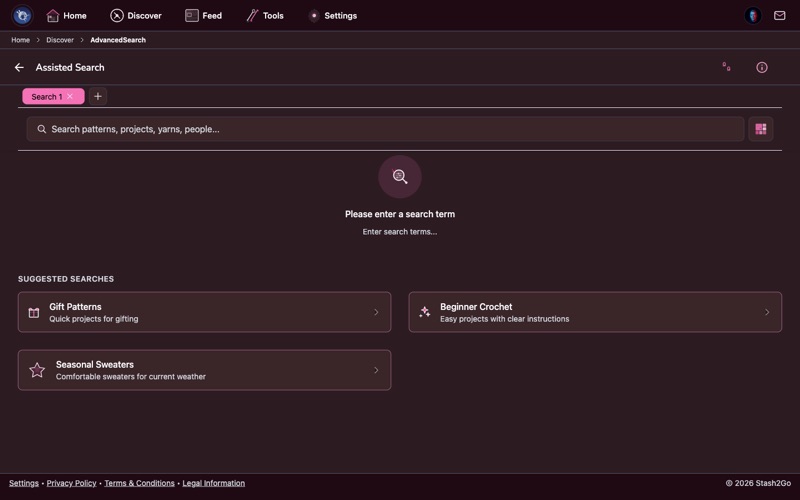
Tap Discover → Assisted Search. Instead of filling in filter forms, you describe what you want in your own words.
Type it the way you would say it. "A cozy oversized cardigan in bulky wool for a beginner." "A lace shawl with beading for a wedding gift." The search knows craft words, and it works out what you are after.
Your words are turned into a proper search, and the patterns that match come back, closest to what you asked for first. Curious what the app has worked out about your taste? Open your Preference Footprint from the Assisted Search screen. It shows the profile behind the results, and you can build it again or delete it. It comes from the public side of your Ravelry profile: your projects, favourites, queue, public bundles, library and stash. Private and friends-only bundles are left out, and so are the notes only you can see.
Point your camera at a yarn label and Stash2Go works out what it is. It reads the brand, the weight and the fibre from the photo, which is the quick way to record yarn you have just bought.
Not sure how much yarn a project will take? Pick your pattern and your yarn. The estimator works it out from the pattern size, the gauge and the yarn weight.
Assisted Search is not on Discover until you switch it on in Settings → Assisted Features. If the card is missing, that is why. It sends your search words, plus a one-off preference profile built from the public side of your Ravelry profile. You can delete that profile. Your ordinary search is left alone.
One switch on that screen, Turn AI off completely, takes this and every other assisted feature away at once. The full policy is section 12 of the privacy policy.
Available on iPhone, iPad, Android, and web at app.stash2go.com