60I have several yarns to use together
Pick two or three from your stash and find patterns that use them all - beta
- Multi-Yarn Matchmaker is beta, and off to start with: Settings → Appearance → Beta Features → Multi-Yarn Matchmaker. Once it is on, it gets its own entry on Discover.
- A Ravelry account with at least two yarns in your stash.
- How much yarn you have, recorded on those entries, if you want the amounts to mean anything.
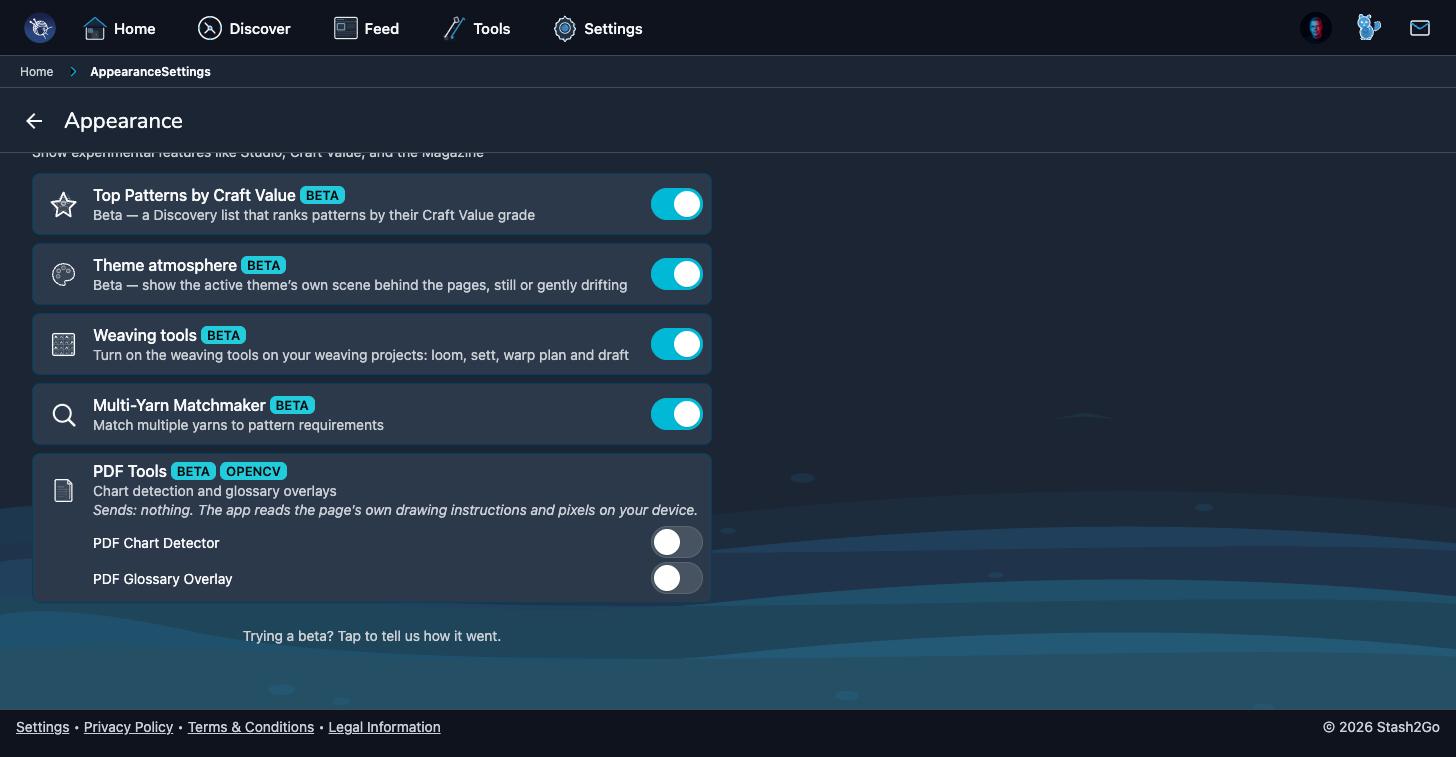
Switch on Multi-Yarn Matchmaker in Settings → Appearance → Beta Features. Now open the Discover tab, where it has its own entry. The ordinary Stash Matchmaker is not affected and still needs nothing switched on. This is the one for combinations.
Look through your stash, or search it, and tap the yarns you want to put together. Two at least, three at most. The screen keeps count as you go, and shows how much of each you have.
Tap Find Patterns. It looks for patterns written for more than one yarn: colourwork, stripes, anything of that kind, that suits the combination you picked. Tap any result to open the pattern.
Nothing found is a real answer too. Three yarns of unrelated weights have few patterns in common. Drop one, or swap it for something closer in weight, and try again.
Available on iPhone, iPad, Android, and web at app.stash2go.com