52I want to see this pattern in my yarn
Give the pattern's colours your own yarns and look at the designer's photos again - beta
- The Colour Swatcher is beta, and off to start with. Turn it on in Settings → Assisted Features → Colour Swatcher.
- It is an assisted feature, so it is hidden altogether while the Turn AI off completely switch is on. Switch that off first, or the row cannot be turned on.
- A pattern with photographs. On a project, the project needs a linked pattern.
- Works on iPhone, iPad, Android and the web.
Go to Settings → Assisted Features and switch on Colour Swatcher. It carries a BETA badge. Like every row on that screen, it says what it sends before you agree to it.
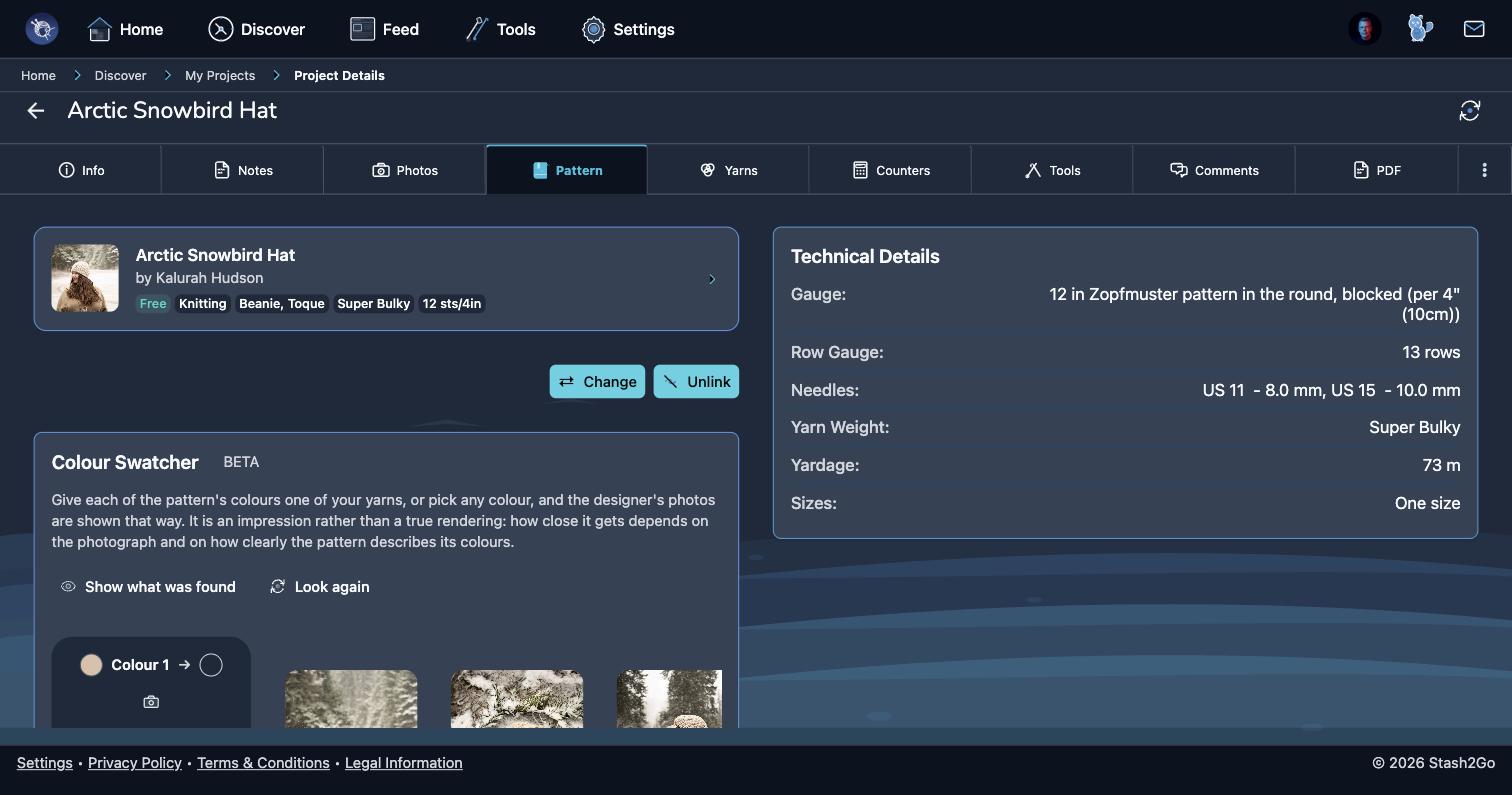
Open a pattern and go to its Yarns tab. The Colour Swatcher sits there. On a project with a pattern linked, it is on the Pattern tab instead. Either way it reads the pattern's colours first, then paints its photos.
The pattern's colours are listed as Colour 1, Colour 2 and so on. Tap Pick on any of them and you get three ways to answer:
Your yarns: pick from the yarn you already own, so you are looking at a garment you could cast on tonight.
Photograph a yarn: point the camera at a skein and it takes the colour from the middle of the frame. Fill the frame with the yarn. If the middle is not clearly one colour, it says so and asks you to try again.
… or any colour: a colour picker, for yarn you are thinking of buying.
The photos are repainted in your colours, and you can open any of them fullscreen. Take it as an impression of how the finished piece might look. How close it gets depends on the photograph, and on how clearly the pattern describes its colours. It tells you whether a colour scheme works. It does not tell you what your finished garment will look like.
Show what was found marks the parts of each photograph it took to be the garment. That is worth a look when a result seems odd, because it usually explains why. Look again asks it to have another go.
- Why some patterns are left alone
- A pattern knitted in cream, natural, grey or white has no colour to swap, so the photos are shown as they are.
- Why a photo is sometimes skipped
- If the pattern's colour also fills the background, swapping it would repaint the whole picture. It says so rather than doing it.
- Colour on a screen
- No screen shows yarn truly - dye lots, daylight and your own display all move it. Use this to compare schemes, and a real swatch to commit.
Available on iPhone, iPad, Android, and web at app.stash2go.com