34I want shaping guides for my pattern
Increases, decreases and shaping steps that move along with your row counter
A shaping guide takes a long increase or decrease instruction and breaks it into single steps, which move along with your row counter. No more losing your place halfway down a crown decrease or a sleeve taper.
- Full Knitting mode. Shaping is not in Row Tracker or Smart Tracking.
- A PDF linked to a project, with Knitting Setup finished. Shaping stays greyed out until it is.
- A row tracker for it to follow, so the guide knows which row you are on.
- A connection. Shaping is one of the things Limited mode locks while the service is out of reach.
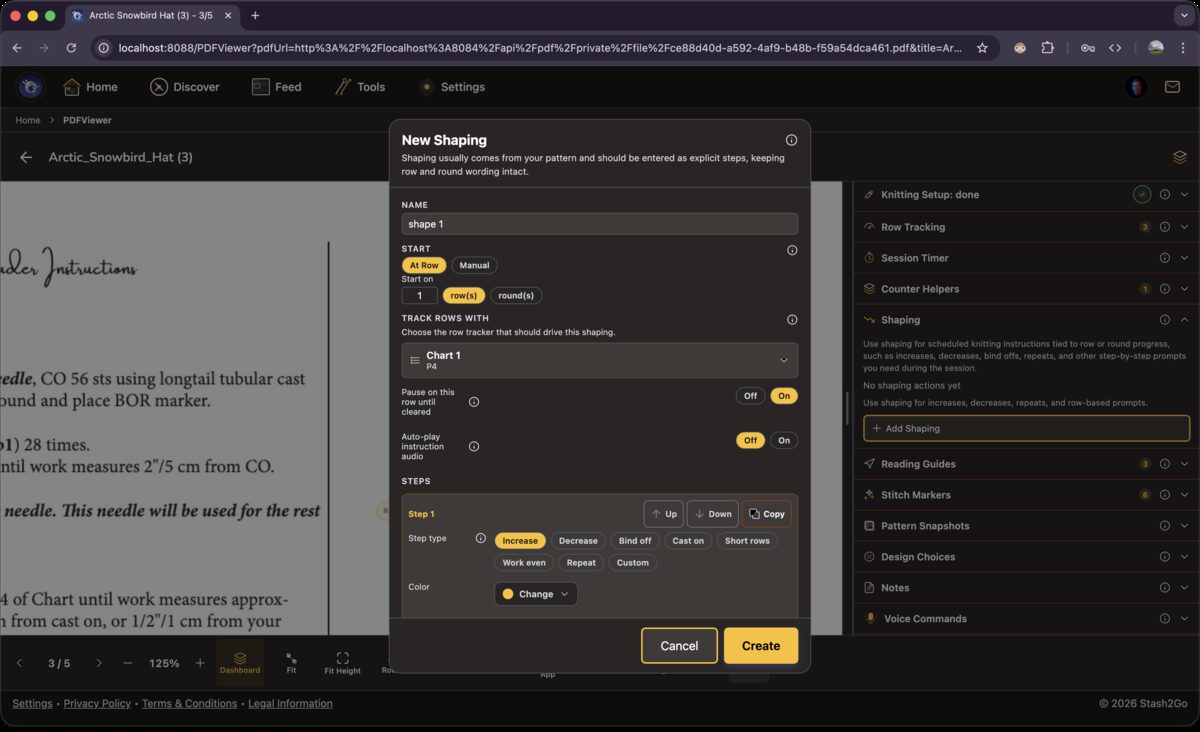
In the Shaping section (Full mode), tap Add Shaping. Give it a name. Choose whether it starts At Row or in Manual mode. Then say what it should follow, under Track Rows With. The guide always moves with that row tracker. Auto-play instruction audio is a separate choice. It reads each step aloud as you reach it, and moves nothing by itself.
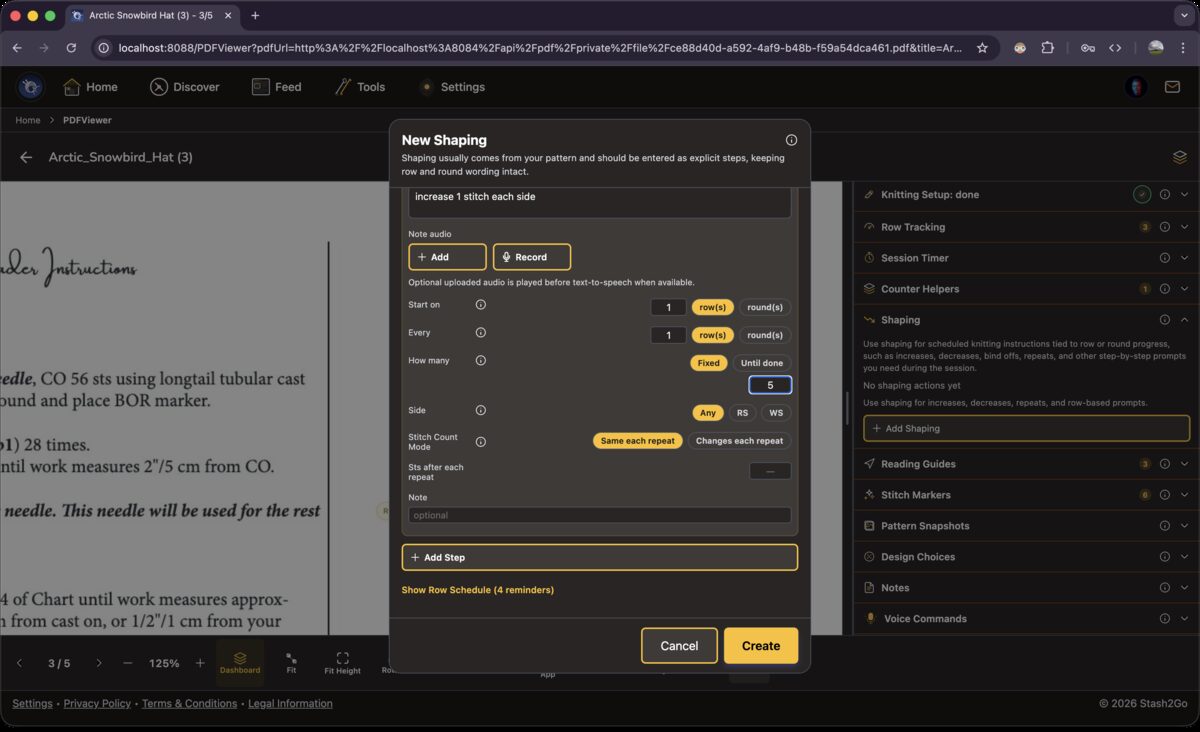
A shaping guide holds one step or several. A step says what to do (increase, decrease, short row, bind off), how many stitches, how often, and how many times over. The stitch count runs alongside, so you always see the total. Tap "Add Step" until the whole sequence from your pattern is in.
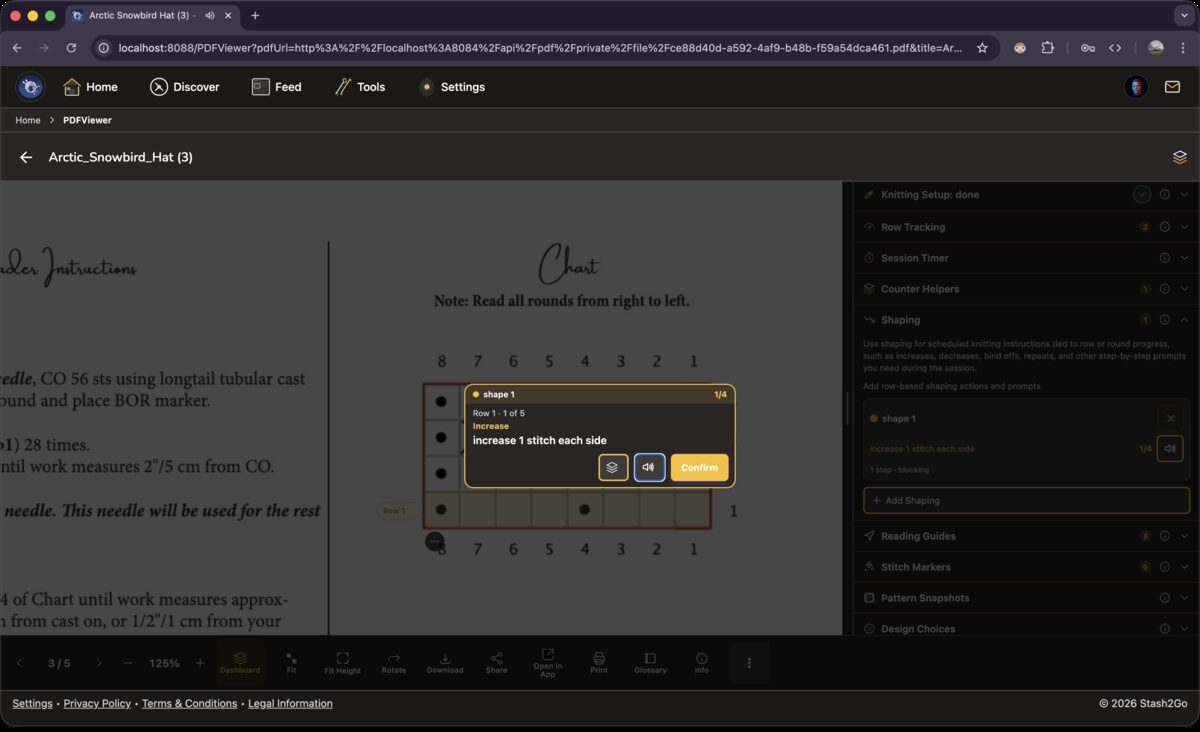
As your row counter moves, the shaping card keeps up with it. On a plain row it says to knit even. On a shaping row it gives you the instruction. When a step is done, it moves to the next one by itself. The speaker icon reads the instruction you are on aloud.
Available on iPhone, iPad, Android, and web at app.stash2go.com