33I want to track rows and repeats
Count rows, work through repeats, and be reminded when something is due
The Smart Pattern Reader has three counting tools. Row counters keep your place, and light up the matching row on the chart. Repeat helpers go round a repeating section. Action helpers remind you of something that comes up every so often. Between them, you can stop holding it all in your head and get on with the stitches.
- A pattern PDF linked to a project. The counters belong to that project.
- Premium for the counter helpers and the session timer. They are part of Smart Tracking and Full Knitting.
- A connection to change the setup. The counting itself keeps working offline.
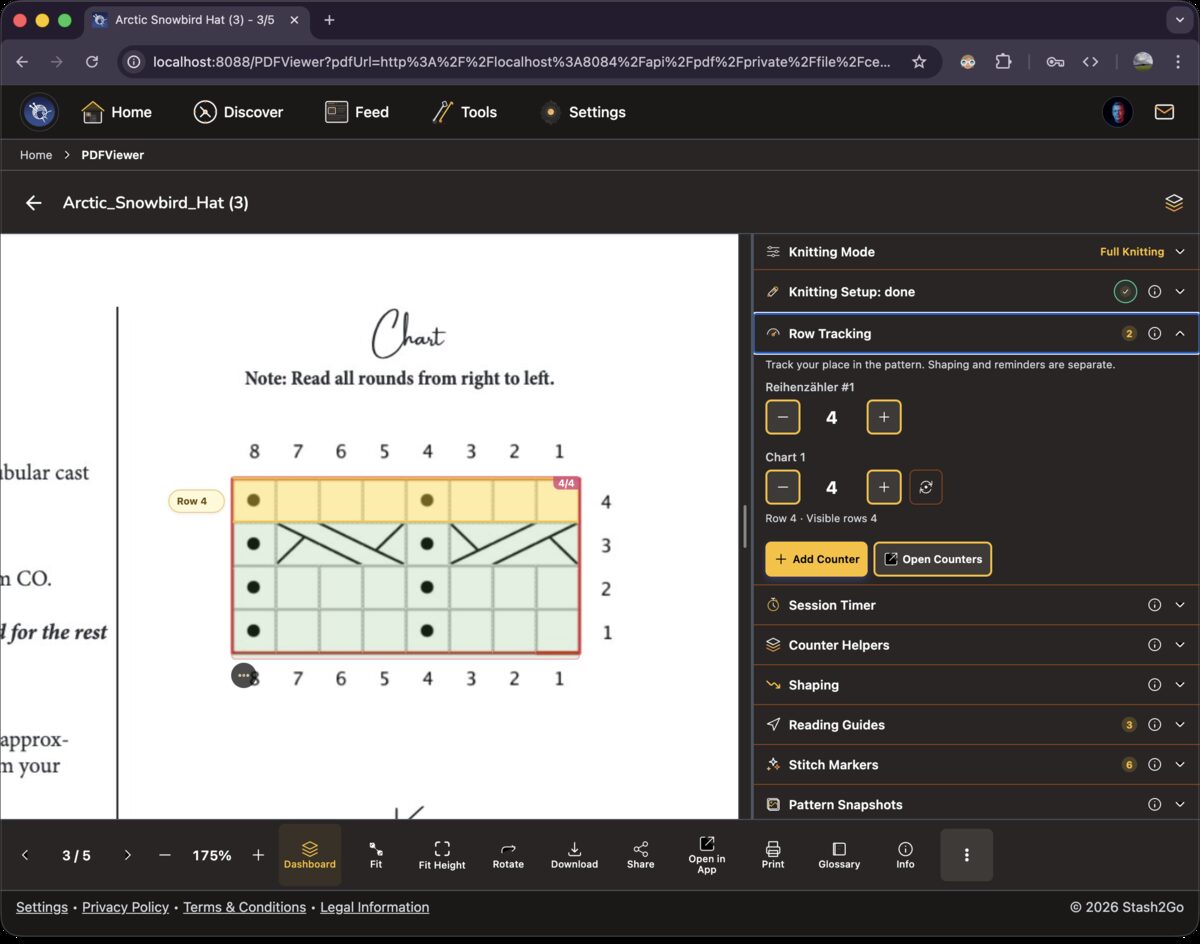
Each counter shows the row you are on, with + and - buttons to move forward or back. Link a counter to a chart and that row lights up on the PDF itself. You always know which row you are meant to be working.
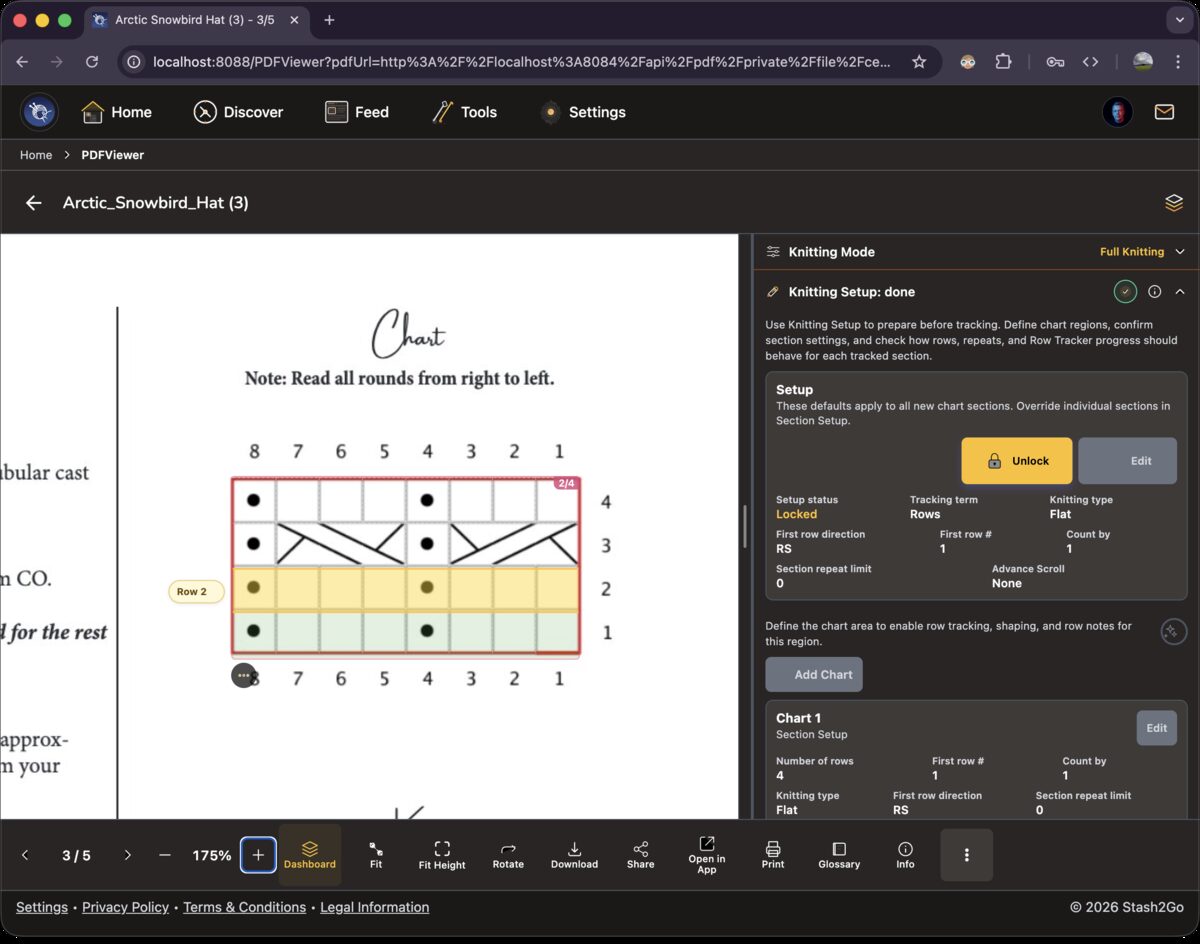
Tap + when you finish a row and the yellow highlight moves up the chart. Tap - to move it back if you have to tink. The highlight goes the way you read the chart, which on a standard one is bottom to top.
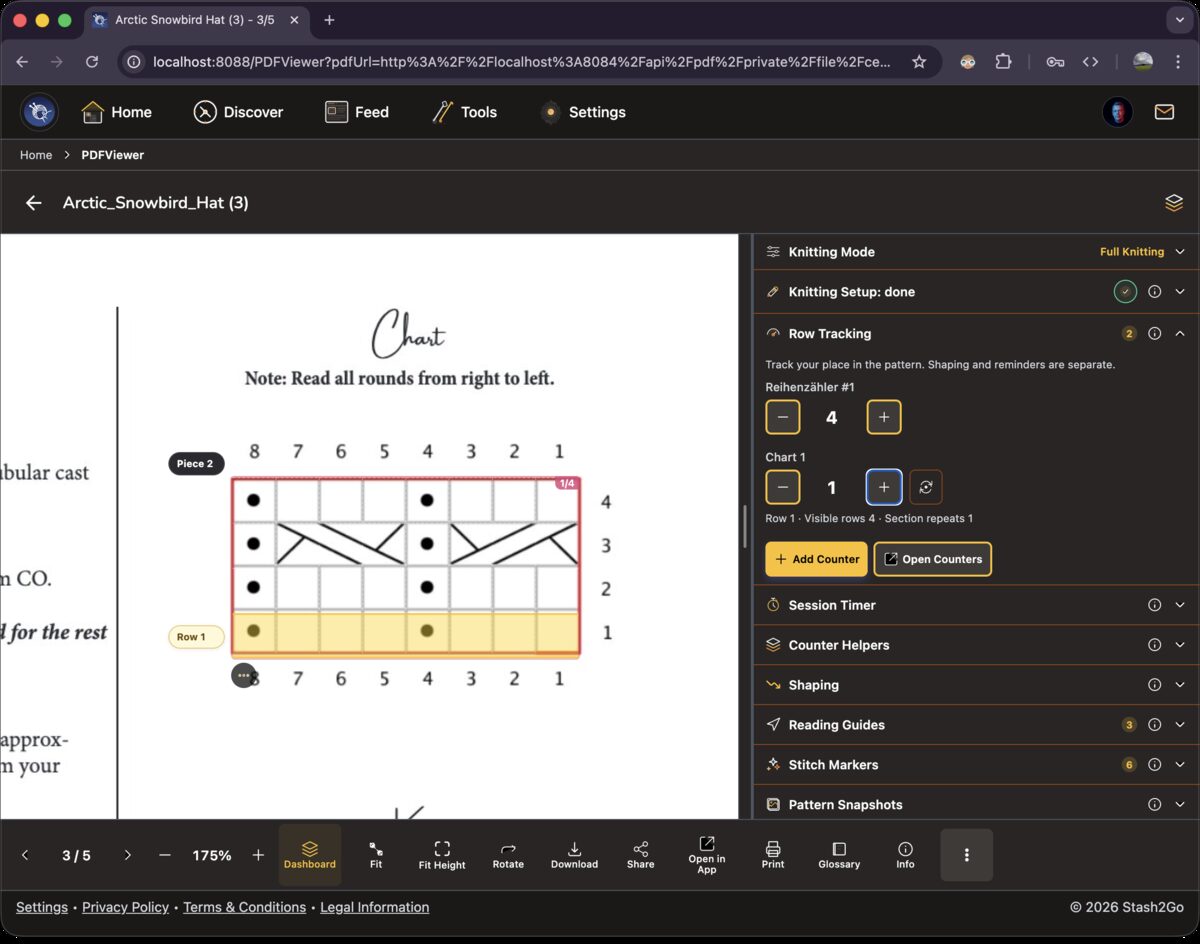
Tap "Add Counter" for as many as you want. Each one moves on its own. Keep one for the chart rows and another for total rounds, or one each for the body and the sleeves.
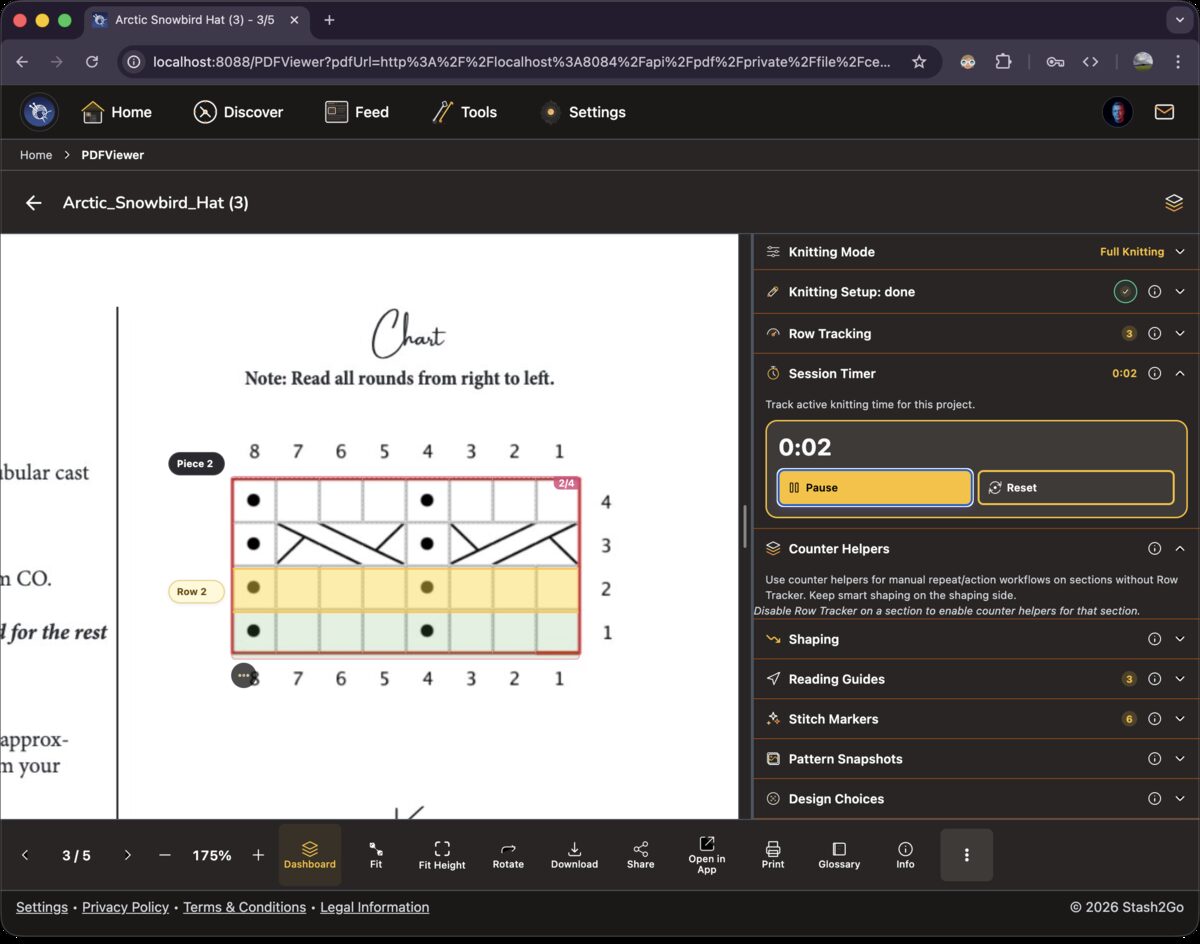
The session timer says how long you have been knitting. Below it, the Counter Helpers section (Full mode) holds two more tools: repeat helpers and action helpers. Both stand on their own, and you move them along yourself. Neither is tied to a chart.
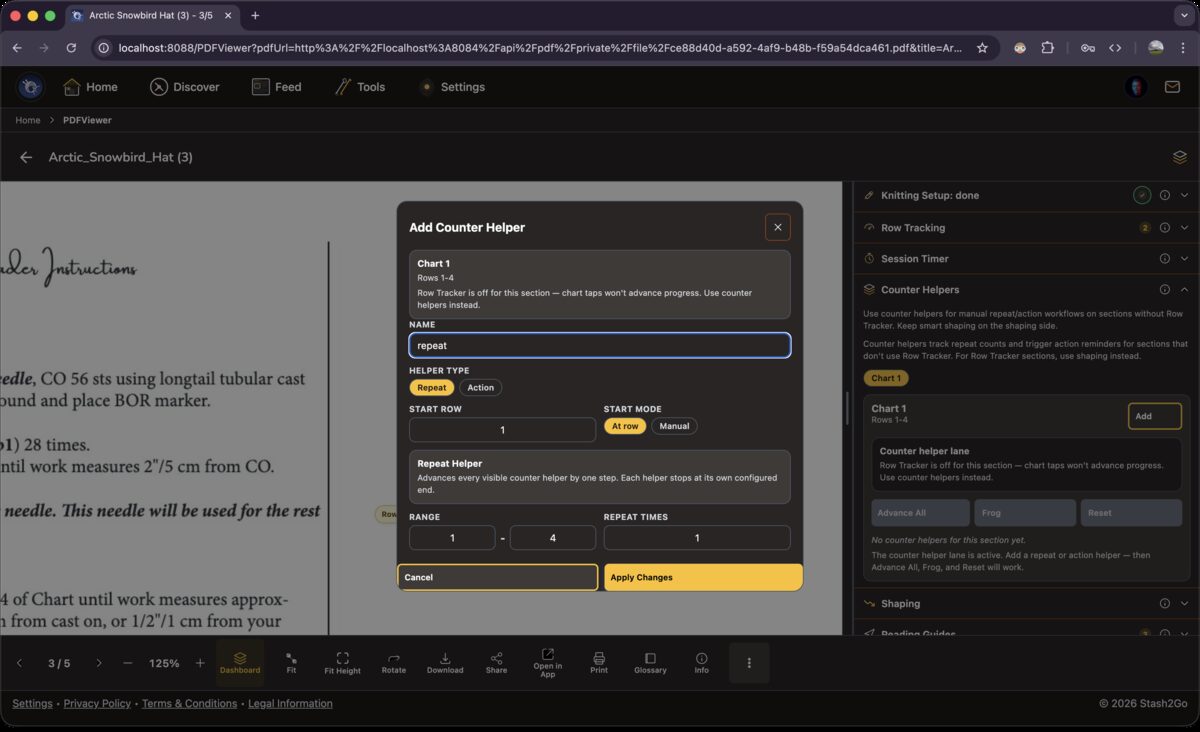
A repeat helper goes round a fixed set of rows, a set number of times. Give it the rows and how many repeats you want. It then keeps both numbers: which repeat you are on, and which row inside it. When it comes back round from the last row to the first, the repeat count goes up on its own.
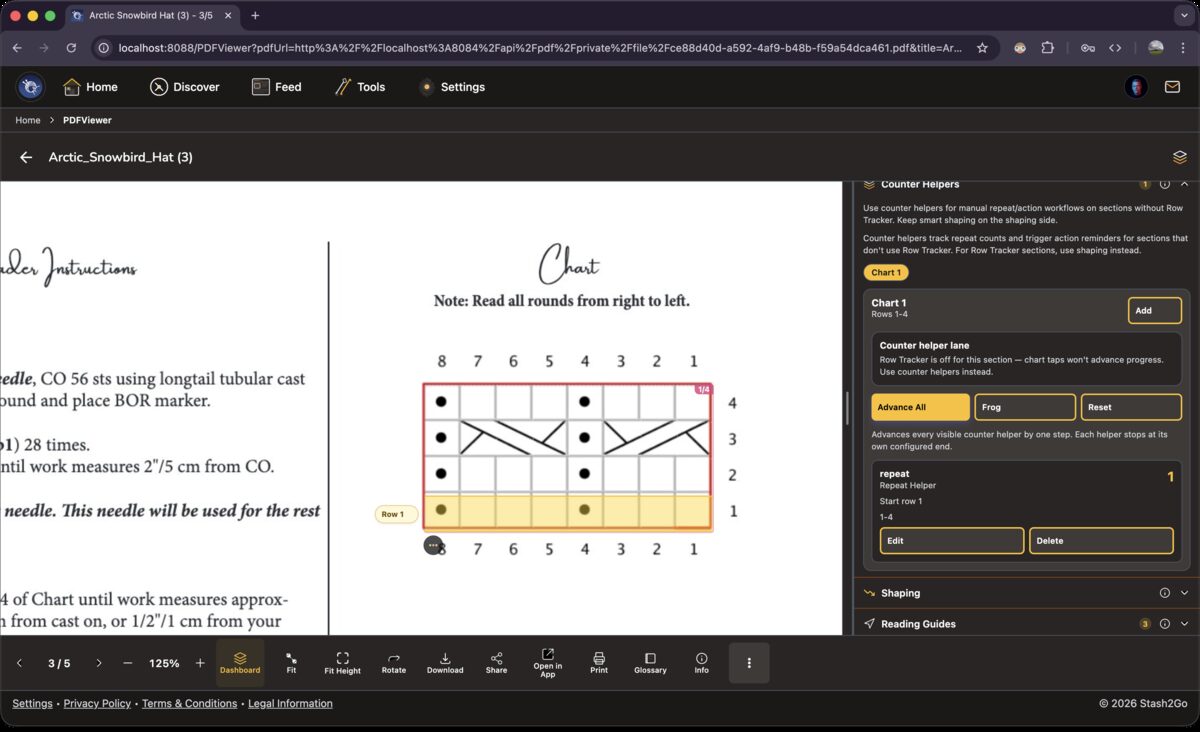
An action helper counts up and tells you when you reach a row where something has to happen. It is the one for "increase every 6th row" or "buttonhole every 12 rows". Advance All moves every helper on at once, Frog takes them all back, and Reset puts them at their starting values.
A row note is pinned to one row of a section or chart, and shows up when you get there. Make it blocking and the guide stops at that row until you clear it. That is what you want for "try it on before the underarm" or "change to the smaller needles".
A note can also hold recorded audio, or text for the app to read aloud, and a snapshot of the pattern. Saying a reminder out loud takes three seconds, and it is easier to follow with your hands full.
Available on iPhone, iPad, Android, and web at app.stash2go.com