37I want hands-free voice control
Move counters on, hear instructions, and time your knitting without touching the screen
Voice commands move your counter on, undo a mistake, and get you around the pattern without putting the needles down. Your hands stay on the yarn and your eyes stay on the fabric.
- Premium. Voice commands are part of Smart Tracking and Full Knitting.
- A PDF linked to a project. The commands drive that project's counters.
- A device that can recognise speech, and permission to use the microphone.
- The main switch is Settings → Appearance → Voice Commands, and it starts on.
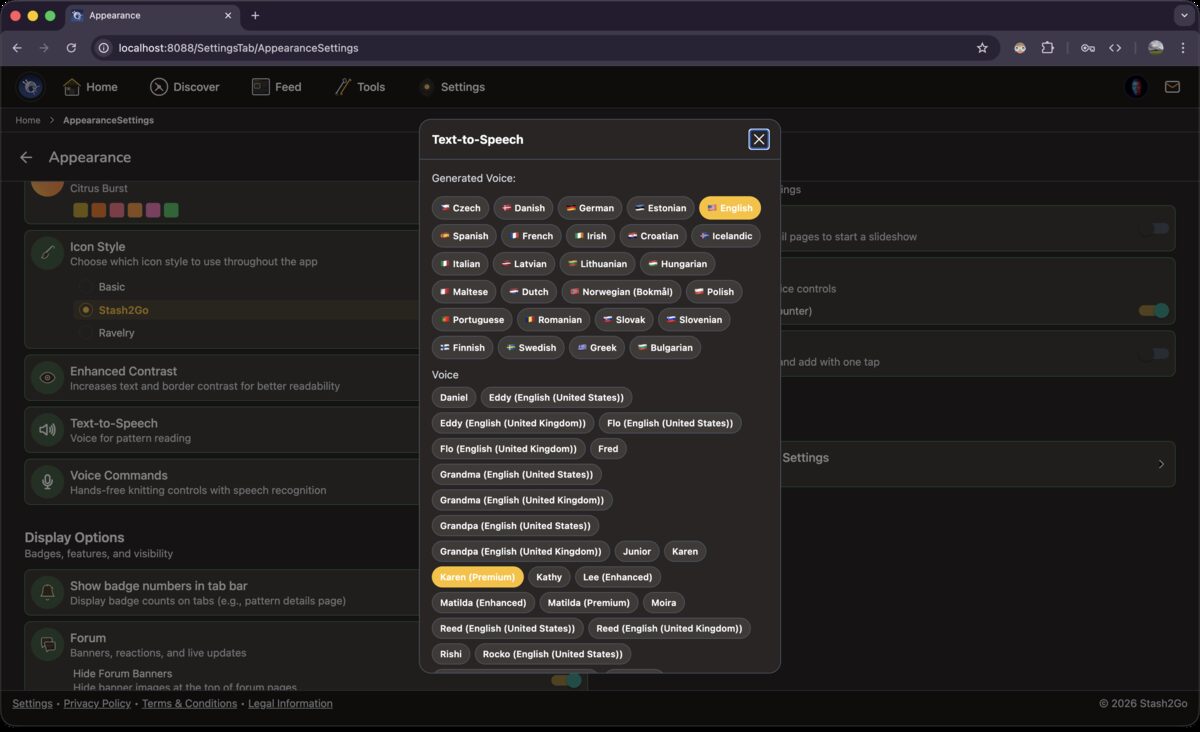
Go to Settings → Appearance and open the Voice Commands card. Pick your language. Choose whether it answers with a sound or a buzz. Decide whether sensitive commands like "reset" have to be confirmed out loud. Allow it to use the microphone, then tap Test Voice Recognition to check your words are getting through.
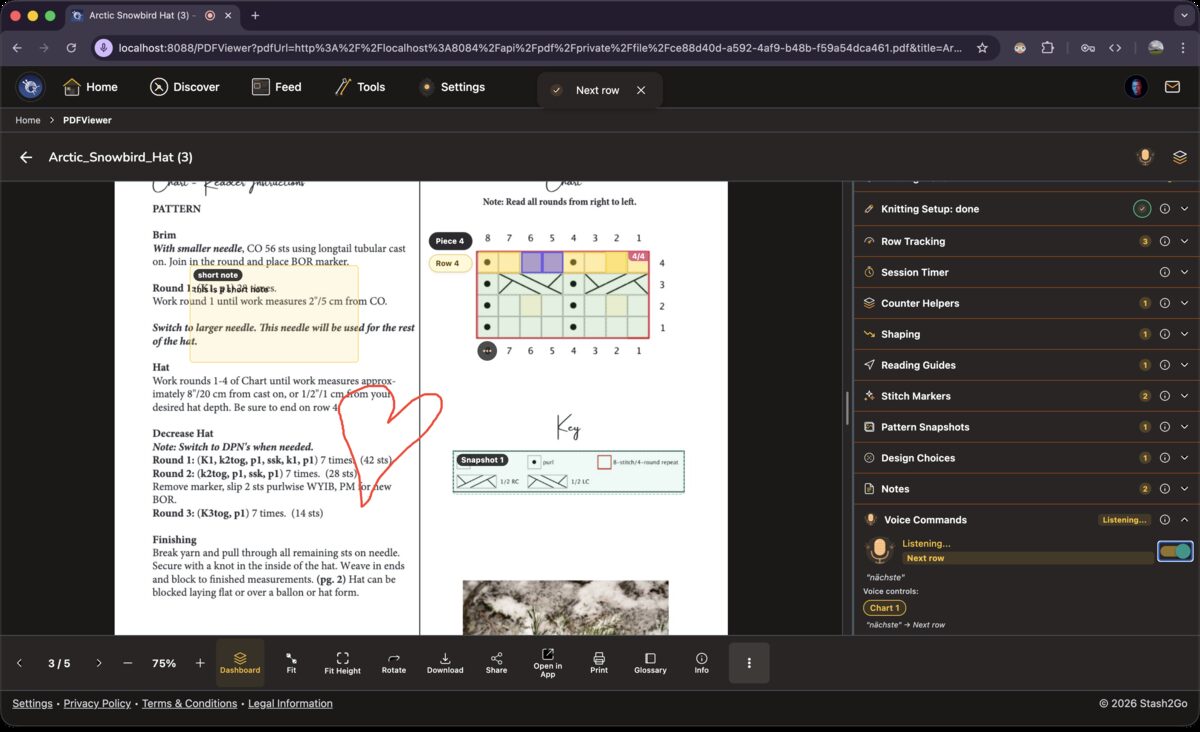
Voice lives in the Dashboard, not on the toolbar. Open the Voice Commands section there and turn its switch on to start listening. A stop indicator shows in the header while it listens. Commands act on whichever chart counter is selected, so if you switch charts the voice commands follow.
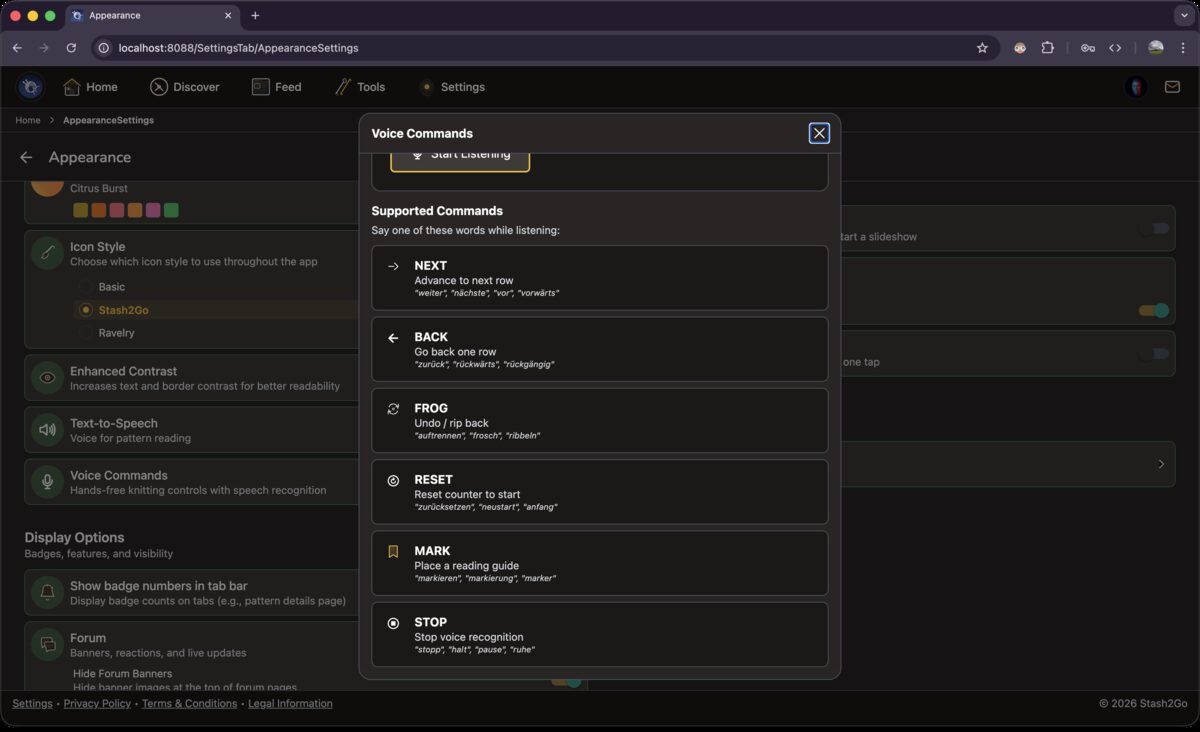
Six commands do the work, and it copes with a slight mispronunciation.
| NEXT | Moves the counter on. |
| BACK | Takes it back by one. |
| FROG | Rolls back several rows. |
| RESET | Returns to the starting value. |
| MARK | Places a reading guide. |
| STOP | Turns the microphone off. |
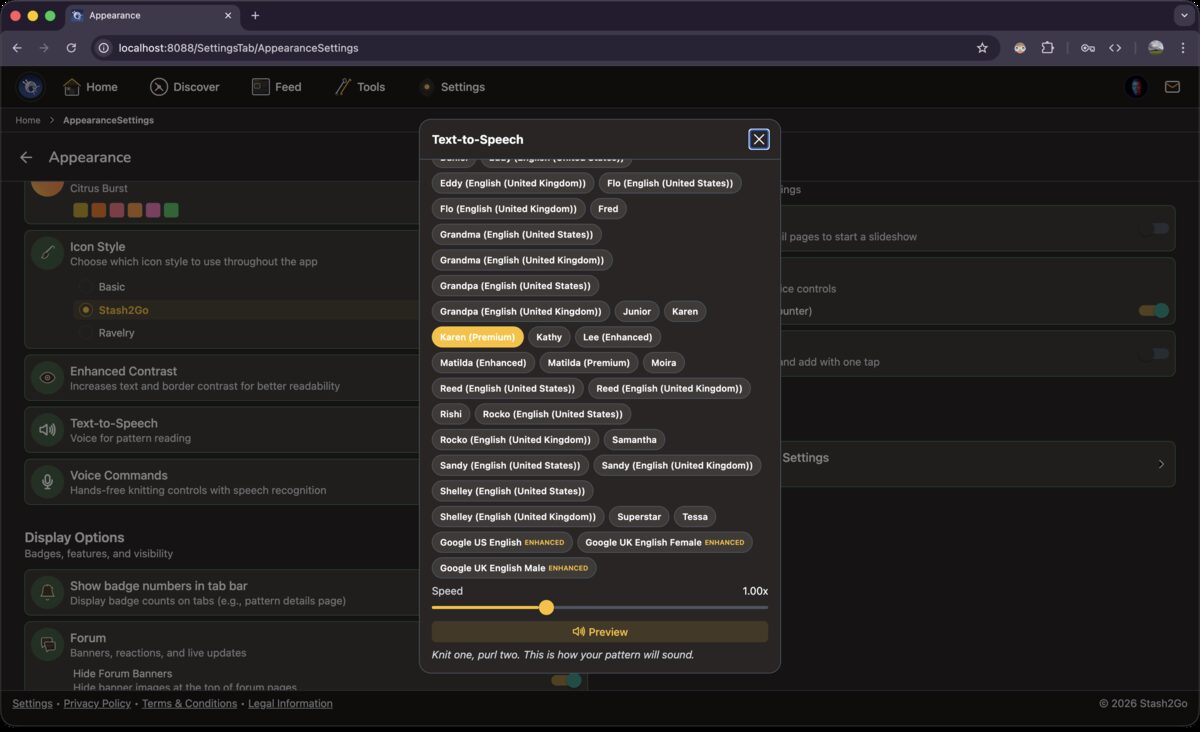
Text-to-speech reads the shaping instructions and row information out loud, so your eyes stay on the fabric. Pick one of the voices your device has, and set the speed. The preview button lets you hear it first.
See how long you actually spend knitting. Start it when you pick up your needles and pause it when you break off, and it adds up your working time across sittings. The timer is kept for each project, and it is still there after you close the app.
Available on iPhone, iPad, Android, and web at app.stash2go.com