42I want to unlock premium features
Support Stash2Go development and get extra tools for your craft
- A Stash2Go account, signed in on the device you are buying from.
- You buy through the App Store, Google Play, or PayPal on the web. Wherever you bought it is where you manage it.
- One purchase covers every platform you sign in on.
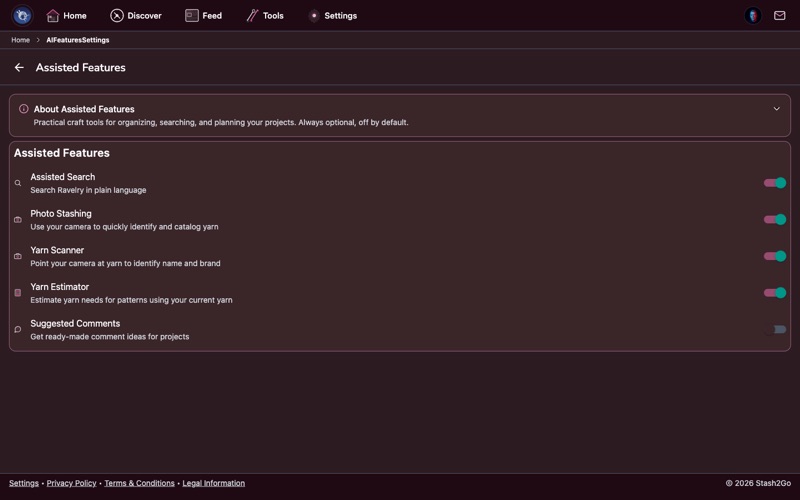
Premium adds things on top of the free app. It takes away all the adverts. It adds the Smart Tracking and Full Knitting modes in the pattern reader. It includes the Bobbin craft assistant and the assisted features, and more tools as they arrive. The heart of the app stays free: projects, stash, patterns, forums and messages.
Go to Settings → Premium to see the plans. One of them is a one-time lifetime purchase, with nothing charged again after that. Payment goes through Apple's App Store on iPhone and iPad, Google Play on Android, or PayPal if you are buying in a browser. Choose a plan, and confirm it the way your device normally asks you to.
Reinstalled the app, or moved to a new device? Tap Restore Purchases on the premium screen. It asks Apple or Google to confirm what you bought, and turns premium back on. You do not pay again.
To change your plan or stop it, go to wherever you bought it. It cannot be done inside Stash2Go. On iOS: Settings → Apple ID → Subscriptions. On Android: Google Play → Subscriptions. If you subscribed on the web, it is at paypal.com.
Available on iPhone, iPad, Android, and web at app.stash2go.com