39I want to know when I have new messages
Get notified about new Ravelry messages, even when the app is closed
- Settings → Notifications & Interactions → Notifications.
- Your device has to allow notifications for Stash2Go. Without that, nothing arrives, whatever these settings say.
- On Android, some phones also need the app allowed to run freely in the background.
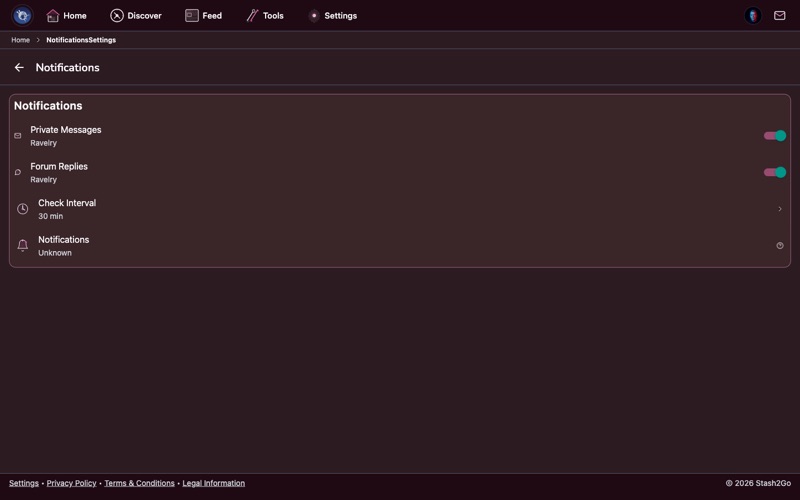
Go to Settings → Notifications and turn on message notifications. Stash2Go then checks for new Ravelry messages in the background, and tells you when one arrives.
Pick the kinds of activity you want to be told about. You can have alerts for new private messages, for replies in forum topics you follow, and for other Ravelry activity.
On Android, battery optimization can stop the background checks from running at all. If nothing is arriving, go to your device's battery settings and turn optimization off for Stash2Go. The notification settings screen links straight there.
Tap a notification and it opens that conversation. You can read and answer inside Stash2Go, with no trip to a browser.
Available on iPhone, iPad, and Android