45I want to move my data to Ravelry
Move the projects, stash and tools you kept in Google-only mode across to Ravelry
- A Stash2Go account made with Google sign-in, holding projects you want on Ravelry.
- A Ravelry account, connected first: see Start Without Ravelry.
- Nothing moves until you tap Migrate Now.
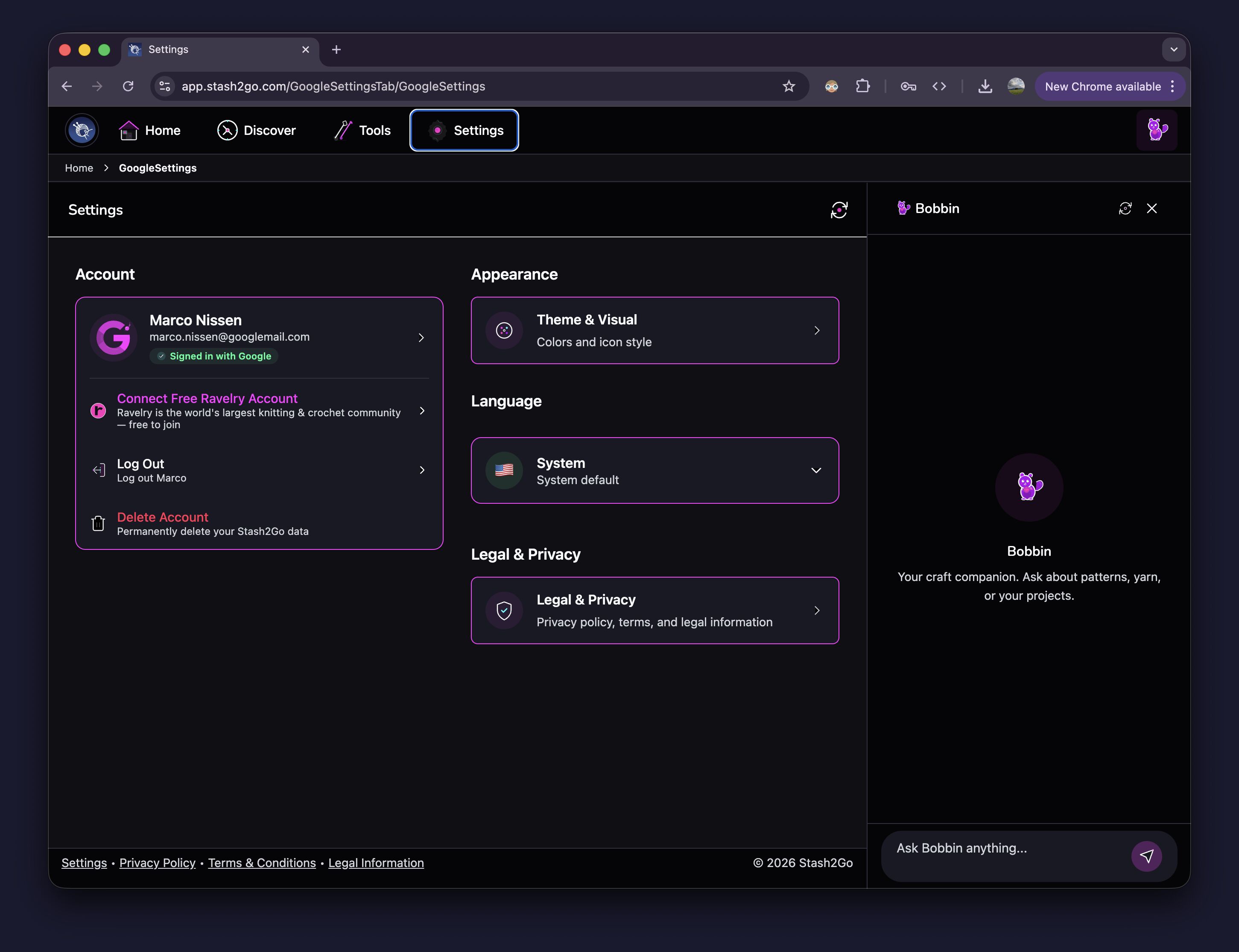
Go to Settings. Your Google account is shown as signed in. Tap Connect Free Ravelry Account to start.
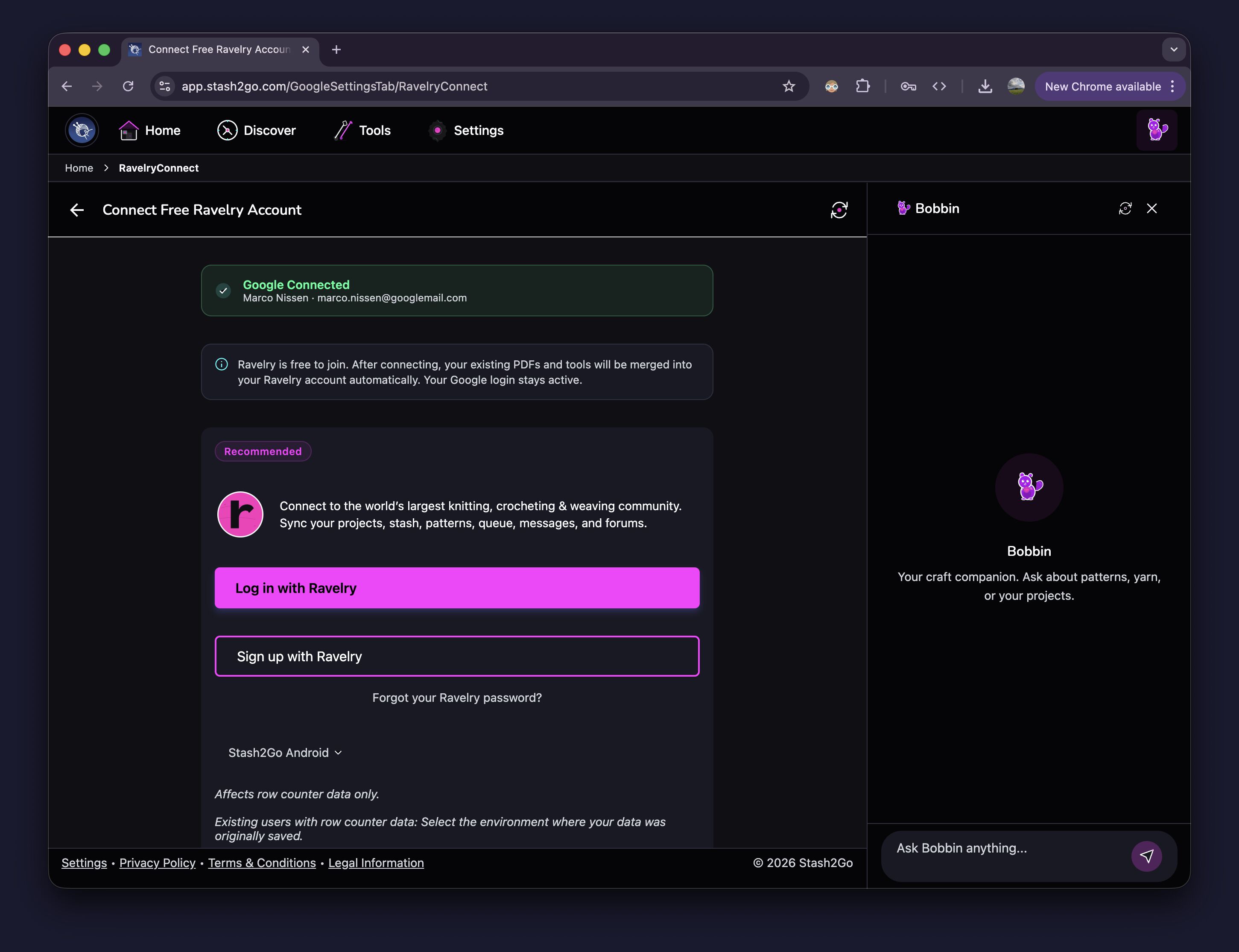
Tap Log in with Ravelry if you already have an account, or Sign up with Ravelry to make one. Ravelry is free to join. Your Google login keeps working after you connect.
Once you are signed in, Stash2Go lists the Google-only data it is about to move. Read it through, then tap Migrate Now. Items are moved one at a time, and you can watch it happen.
Guaranteed:
Projects, with their photos, notes and progress, are created on Ravelry
Stash entries go into your Ravelry stash
Yarn links become Ravelry packs on the matching project
Needles and hooks join your Ravelry needle list
Pinned searches are kept
Best-effort:
Which needles belong to which project carries over wherever Ravelry has the same needle size and type
If there is no exact match, the tool still moves, but you may have to attach it to the project yourself on Ravelry
Nothing moves until you say so: it starts when you tap Migrate Now
Safe to run again: if it is interrupted, start it again. Anything already moved is updated in place
Your existing Ravelry data is left alone: what moves is added next to what you already have there
Duplicates stay separate: if you have similar items on both Google and Ravelry, they are not merged for you. You can tidy them up by hand
Items that need review: if a needle size or tool type has no exact match on Ravelry, it still moves, but it is marked so you know to check it
Do I lose my Google login after connecting Ravelry?
No. Your Google login keeps working, and you can use both accounts together. Stash2Go then keeps your crafting data (projects, stash, needles) on Ravelry, and uses Google to sign you in.
What if I already have projects on Ravelry?
They stay exactly as they are. What moves across is added as new projects. Nothing on your Ravelry account is overwritten or deleted.
Will I get duplicate stash entries?
Possibly. If you added the same yarn on both sides, both entries will be there afterwards. Stash2Go does not merge them for you, because it cannot be sure they are the same yarn. You can remove the extra one yourself.
What happens if the migration is interrupted?
Run it again. Anything that already moved is recognised and updated, rather than copied a second time.
What does “needs review” mean?
Some things cannot be matched exactly. If a needle is an unusual size that Ravelry does not list, the needle still moves, but it may not stay attached to the project. Check those on Ravelry and attach them yourself.
Can I undo the migration?
There is no undo button. The migration only adds things and never deletes, so you can remove any moved item on Ravelry yourself.
Do my PDFs move to Ravelry?
PDFs you uploaded to Stash2Go stay where they are, and you can still open them. Pattern PDFs that came from Ravelry patterns are handled by Ravelry's own system. Your private uploads stay in your Stash2Go storage.
Available on iPhone, iPad, Android, and web at app.stash2go.com