24I want to see my crafting statistics
Projects finished, how fast you knit, who you make for, and what your stash is made of
- Tools → Insights. The whole Insights section is hidden in Basic mode.
- A Ravelry account with some projects or stash recorded. These screens describe what you have.
- Nothing to switch on.
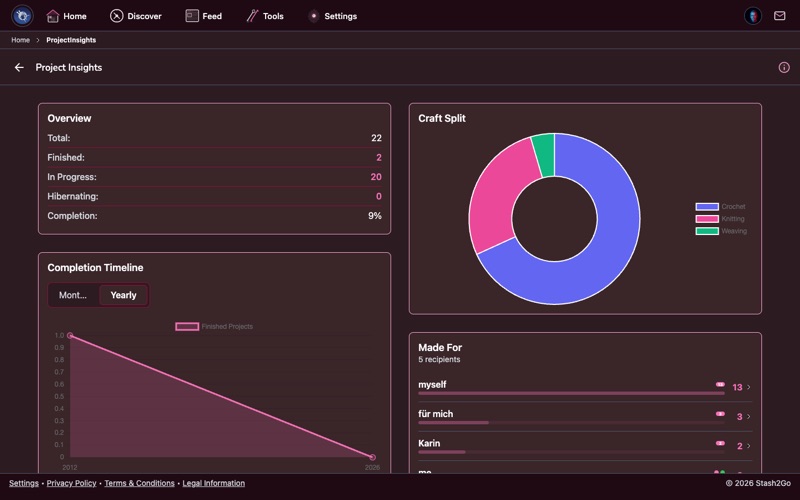
Go to Tools → Insights → Project Insights. It lays out your crafting history on one screen: how many projects you have, how many you finish, how they split by status, and how much of your work is knitting, crochet or one of the other crafts.
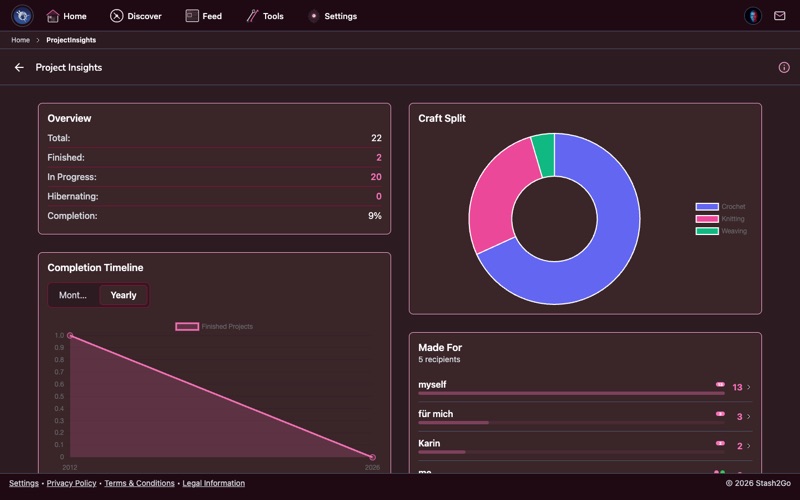
There is more under the overview. A timeline you can read by month or by year. Speed stats: how long you usually take to finish, and your fastest ever. Made for, which is who each project was for. And a tag cloud of the words you use on your own projects:
| Project count by status | In Progress, Finished, Hibernating and Frogged. |
| Craft type breakdown | How many knitting projects you have made, against how many crochet. |
| Completion rate | What share of your projects reach the finish line. |
| Trends over time | How your crafting changes from one month to the next. |
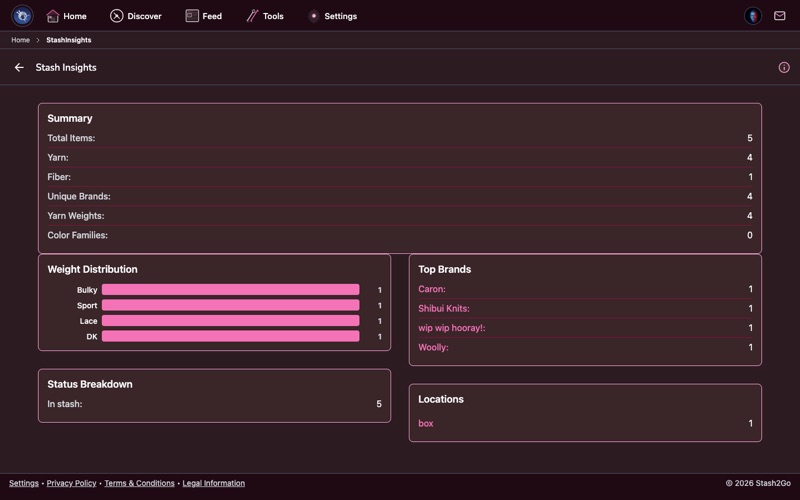
Stash Insights sits next door, at Tools → Insights → Stash Insights, not in the stash screen itself. It counts what you own: how many entries, how many are yarn as against fibre and handspun, a weight distribution, a colour palette, your tags, top brands, a stash timeline by age, a status breakdown, and your storage locations.
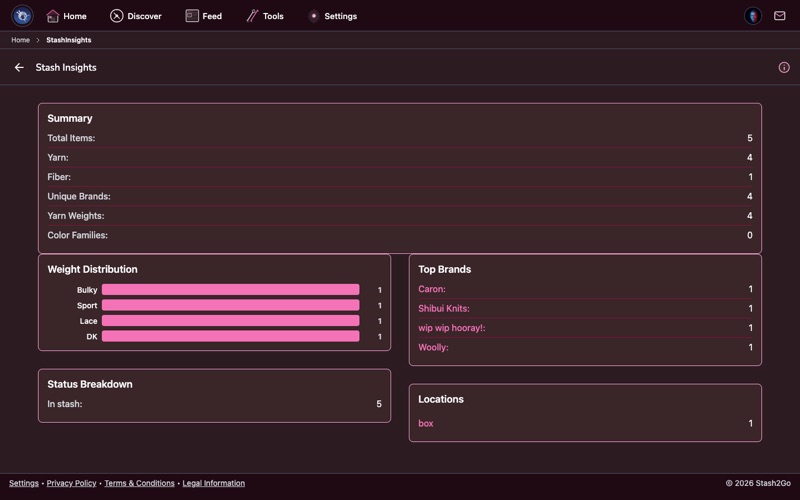
You can see which yarn weights and colours fill your shelves, which brands you keep going back to, how old the oldest entries are, and where things are stored. Useful before you buy more, and useful for finding the corner of the stash you had forgotten about.
Available on iPhone, iPad, Android, and web at app.stash2go.com