55I liked the old Stash2Go better
Classic: one page per area, no tabs, and a bar along the bottom
- A Ravelry account. Classic browses Ravelry's own areas, so it suits people who mainly use Stash2Go to read and record Ravelry.
- Nothing to install, nothing to switch on. Just pick it, and switch back in the same place whenever you like.
- Available on iPhone, iPad, Android and the web. Televisions and in-car screens always use the full layout.
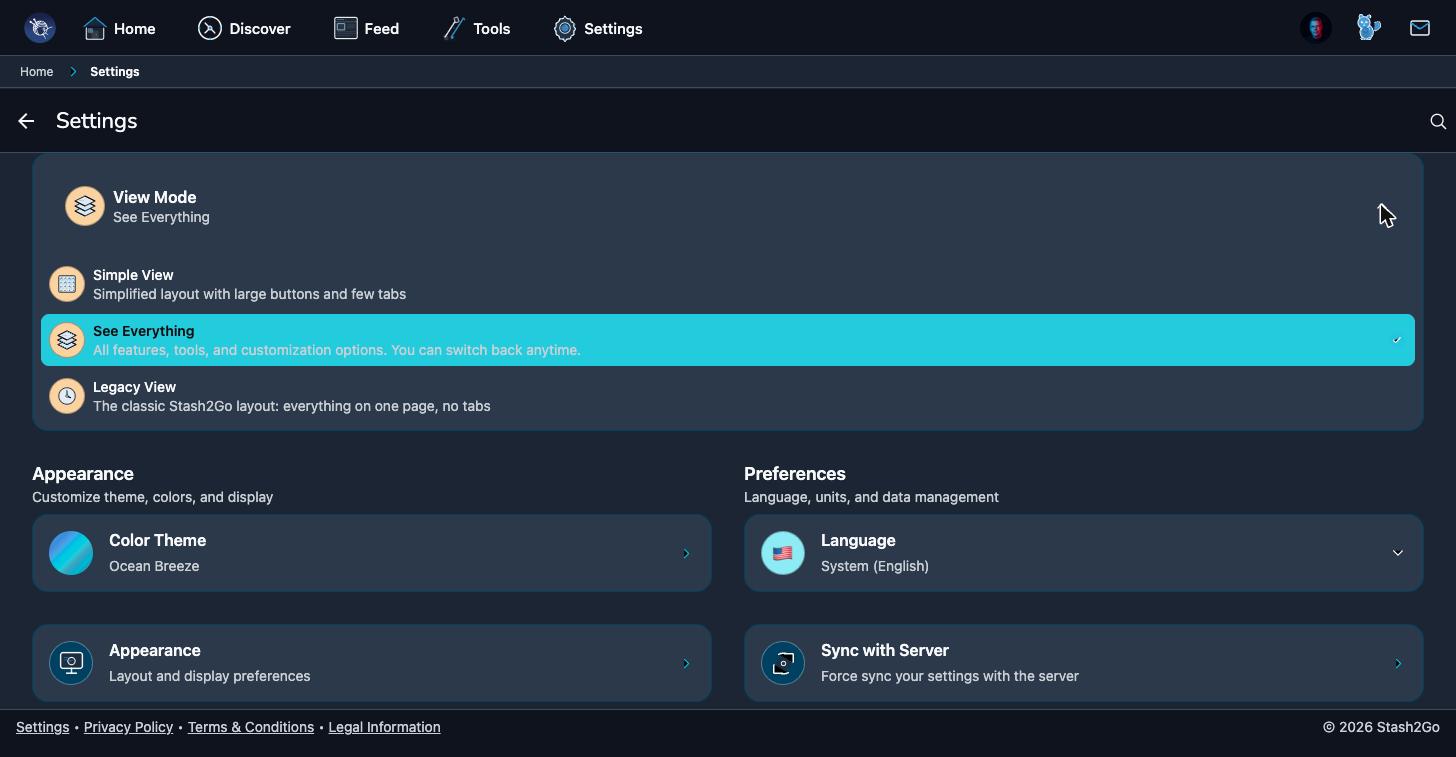
Go to Settings and look at View Mode at the top. There are three, side by side: Basic (large buttons, few tabs), Advanced (all the features and tools), and Classic, the old Stash2Go layout, everything on one page with no tabs. Tap Classic and the app changes shape straight away. Until version 1.35 it was called Legacy View, and an older version of the app still shows that name.
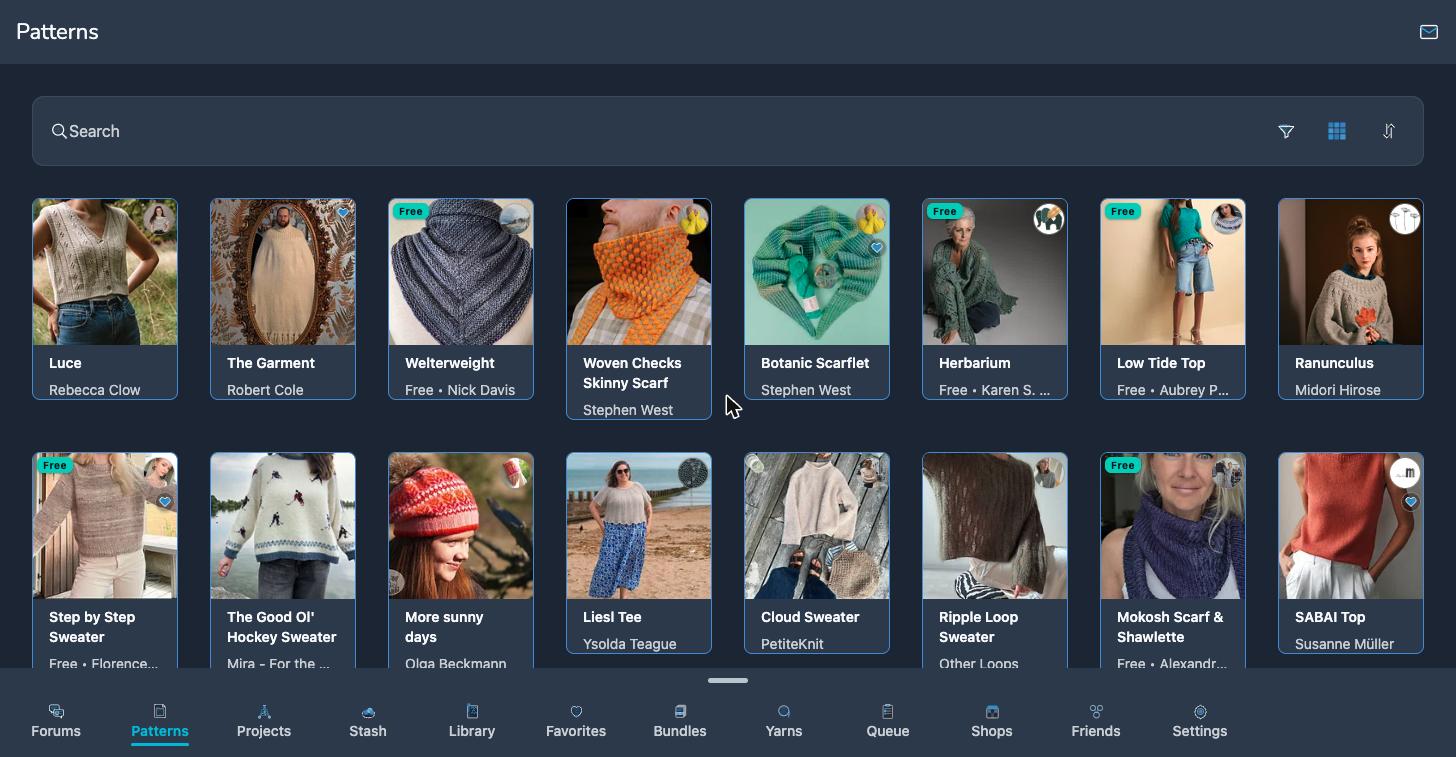
A bar along the bottom holds the eleven areas: Forums, Patterns, Projects, Stash, Library, Favorites, Bundles, Yarns, Queue, Shops and Friends. Tap one and it fills the screen. When the bar gets crowded, swipe up on it for the same list as a menu.
Open anything and you get a single page. A project, a pattern, a stash entry: all of it on one scrolling page, the sections in order, the way the old app did it. Photographs, notes, yarns, comments and PDFs are all there, further down.
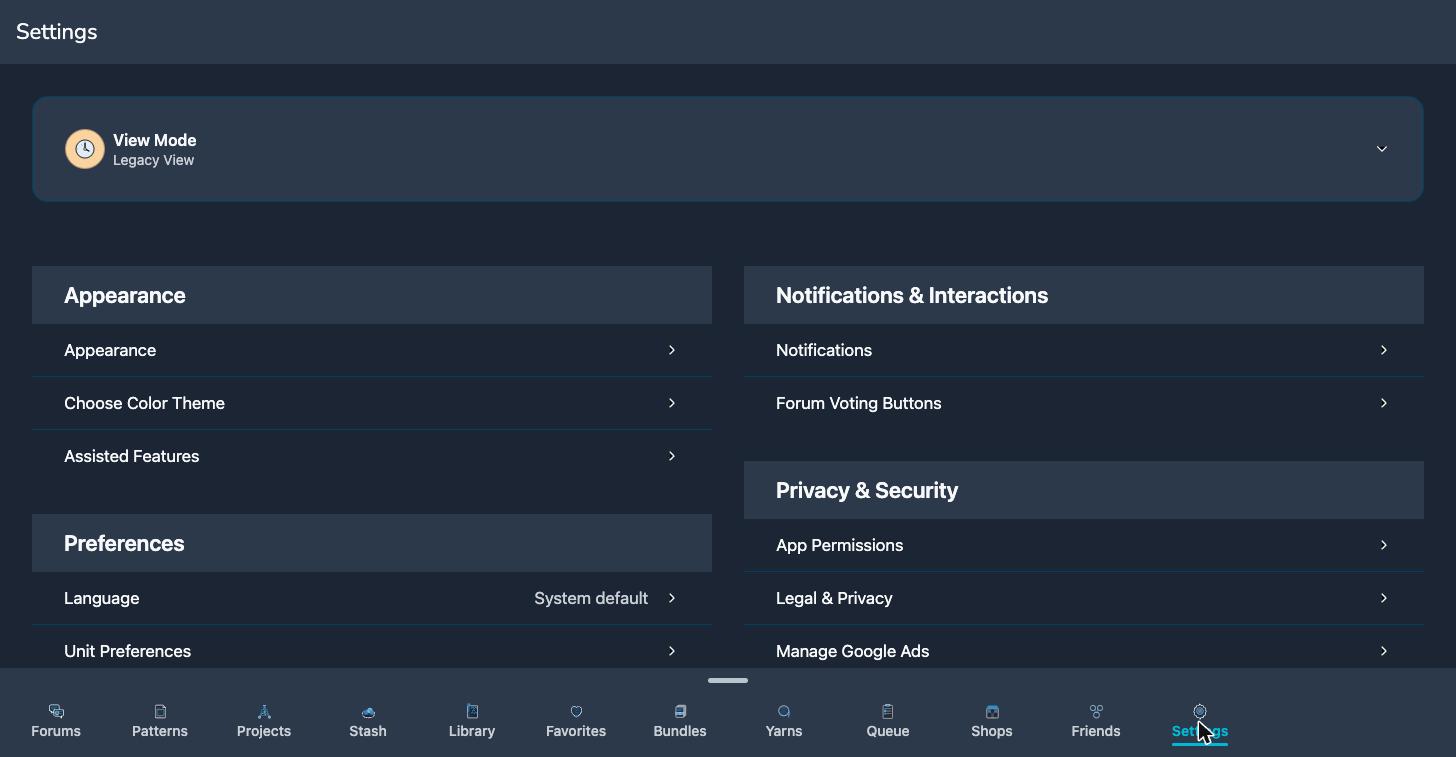
Settings sits at the end of the bar. It opens as a page in place, with the bar still under it. At the top of that page is View Mode, which is your way back out. Above the settings themselves is a Tools & Resources row.
That row is the way to everything Stash2Go adds on top of Ravelry: the calculators, the Pattern Explorer, Needles & Hooks, the colour palettes, the insights, offline downloads and the rest of the toolkit. It is drawn as a plain table here, to match the rest of the mode, but it is the same list the other layouts show.
Available on iPhone, iPad, Android, and web at app.stash2go.com